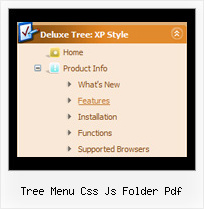
Recent Questions Tree Menu Css Js Folder Pdf
Q: Thanks, we tried giving var pressedItem=0; and the script as below:
<script type="text/javascript">
onload=setPressed;
function setPressed()
{
dm_ext_setPressedItem (0,8,0,0);
}
</script>
We are facing 2 problems
1) Two menus are getting highlighted, the "Home" and the dynamic html menu which is called onLoad using dm_ext_setPressedItem (0,8,0,0); function)
2) The submenu of the dm_ext_setPressedItem (0,8,0,0) is not getting highlighted.
A: Try to set
var pressedItem=-2;
dm_ext_setPressedItem function has a following parameters:
function dm_ext_setPressedItem (menuInd, submenuInd, itemInd, recursion, parentOpen)
So, if you want to highlight item in the submenu you should use itemInd of this item (notitemInd of the parent item).
For example you want to highlight submenu item of the 'Manage Users' parent item with
itemInd=15.
You can find more info about dynamic html menu indexes here:
http://deluxe-menu.com/highlighted-items-sample.html#ind
So you should write the function in the following way:
dm_ext_setPressedItem (0, 3, 15, 1, 1)
menuInd = 0 if you have only one menu on the page
submenuInd = 3, see how to determine submenuInd in the table
http://deluxe-menu.com/highlighted-items-sample.html#ind
itemInd = 15, see how to determine itemInd in the table
http://deluxe-menu.com/highlighted-items-sample.html#ind
recursion = 1, to highlight parent items
parentOpen = 1, to open the submenu with the selected item.Q: Doesn't this mean that I have to add this search engine code to all of my sites pages? If so this could be tedious when adding additional pages to a large site.Is this something I can adjust ...or make submenus were you can't see through them?
A: Unfortunately it is really so. You should paste search engine code onthe each page with the menu.
If you don't want to create your menu (and add search engine friendlycode) on each page, you can try to use frames, the menu has a cross-frame mode. Also you can use aserver-side script (php, asp, vb, etc.) to generate html pages fromtemplates on your server.
Q: Can I install the menu using my buttons? I might be able to do it if the buttons used only one image, but they use two images. One is light and the other dark.
I also have some questions:
1) Will the menu stay in view when the user scrolls down?
2) I'm not even sure I care if the menu stays in view, because I believe that is done using php and is not good for SEO. The file that the search engines see is index.html while the file that visitors see is home.php. I think it would be better for SEO to have a normal .html page. Are you able to do that?
A: See how you should make image-based menus: if item text is empty, icon fields will be used as item images.
For example:
["", "index.html", "menu1a.gif", "menu1b.gif", "Home Page"]
1) You should use floatable feature.
See the following parameter:
var floatable=1;
2) You can generate search engine friendly code using Deluxe Tuner:
"Tools/Generate SE-friendly Code".
Q: I still am unable to make content show for each menu with dhtml tab.
I can make it open a new webpage, but that isnt what I want.
What I want is when the visitor clicks a tab, then content for that tab shows, on the same page, and the tab menu still there.
A: See in Deluxe Tabs there are two modes:
1. var tabMode=0;
You can create only one level of tabs and assign Object Id's of theDIV's to show when you click on the tab.
["XP Tab 1","content1", "", "", "", "", "", "", "", ],
["XP Tab 2","content2", "", "", "", "", "", "", "", ],
["XP Tab 3","content3", "", "", "", "", "", "", "", ],
["XP Tab 4","content4", "", "", "", "", "", "", "", ],
2. var tabMode=1;
You can assign only links in this mode.
You should create top level items with subitems.
["XP Tab 1","", "", "", "", "", "", "", "", ],
["|Link 1_1","http://deluxe-tabs.com", "", "", "", "", "0", "", "", ],
["|Link 1_2","testlink.htm", "", "", "", "", "0", "", "", ],
["|Link 1_3","testlink.htm", "", "", "", "", "0", "", "", ],
["|Link 1_4","testlink.htm", "", "", "", "", "0", "", "", ],
["|Link 1_5","testlink.htm", "", "", "", "", "0", "", "", ],
["XP Tab 2","", "", "", "", "", "", "", "", ],
["|Link 2_1","testlink.htm", "", "", "", "", "0", "", "", ],
["|Link 2_2","testlink.htm", "", "", "", "", "0", "", "", ],
["|Link 2_3","testlink.htm", "", "", "", "", "0", "", "", ],
["|Link 2_4","testlink.htm", "", "", "", "", "0", "", "", ],
["|Link 2_5","testlink.htm", "", "", "", "", "0", "", "", ],
["XP Tab 3","", "", "", "", "", "", "", "", ],
["|Link 3_1","testlink.htm", "", "", "", "", "0", "", "", ],
["|Link 3_2","testlink.htm", "", "", "", "", "0", "", "", ],
["|Link 3_3","testlink.htm", "", "", "", "", "0", "", "", ],
["|Link 3_4","testlink.htm", "", "", "", "", "0", "", "", ],
["|Link 3_5","testlink.htm", "", "", "", "", "0", "", "", ],
You can use Object ID as well as Link in both modes. Use the following prefixes within menu with dhtml item's link field:"object:" - means that there is object id after it;
"link:" - means that there is a link after it.
"javascript:" - means that there is a javascript code after it, for example:javascript:alert(\'Hello!\')
So, you should write for example:
["|Link 1_1","object:Content1_1", "", "", "", "", "0", "", "", ],