Mx Tree Style by Deluxe-Tree.com
Mx Tree Style


Buy Now!  Free Trial Download

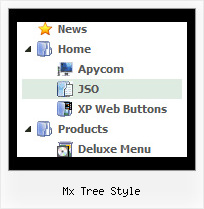
Menu Screenshots Mx Tree Style

Mx Tree Style Tree Menus

Features Mx Tree Style

Professional Look-n-feel
  • Entirely customizable look-n-feel
  • A lot of pre-designed mx tree style samples
  • Hundreds of visual effects
  • Custom CSS styles can be applied for all menu settings
High Performance
  • AJAX menu loading - loads web menu data from the server "on-the-fly".
  • Commonly loads quicker than other html page elements
  • Runs well with an unlimited number of submenus and items
Tree Html Popup Menus Mx Tree Style
Easy Setup
  • De Luxe Tuner. GUI interface to create your mx tree style menus easily and in no time
  • Sensible menu parameters for manual editing
Unrivalled Features
  • Scrollable, dragable, floating
  • Unique Java Script API for altering menu "on-the-fly", without page reloading
  • AJAX technology - loads menu data from the server "on-fly and on-demand".
Cost Effective
Buy Now!  Free Trial Download

Javascript Tree Menu. Expandable Menu.

  • Use a mouse to move a menu as a usual window.
  • When the page is scrolled the menu remains visible. The menu can "float" along one or two coordinate axes. After clicking on menu item selected item becomes highlighted.
  • There can be as many submenus as necessary. Any submenu in its turn can include different number of columns.

Recent Questions Mx Tree Style

Q: The dhtml floating menu does not align to the top of the column and it migrates as one scrolls up or down the page. I would like it to stay in one place.

A: 1) Add valign="top"> parameter for the TD tag with the menu:
<td valign="top">
<script type="text/javascript" src="welcome_files/frenchdata.js"></script>

2) Open your frenchdata.js file in any text editor (or Deluxe Tuner) and change:
  var absolutePos=0;
  var posX="20px";
  var posY="120px";
to
  var absolutePos=0;
  var posX="0px";
  var posY="0px";

3) To turn off the floating feature you should set the following parameter in yourfrenchdata.js file:
  var floatable=0;


Q: I'm trying to disable a javascript mouse over menu item using the MS Office style 2 template and having no luck. Can you please provide me a sample of the MS Office style 2 template that will disable an item on the menu by graying it out?

A: To disable menu item you should set "_" target for it.
If you want that your disabled items have a grey color (in css-basedmenu) you should create additional style for it and assign this stylefor the disabled items:
["CSSText=toptext_dis,toptext_dis"],

.toptext_dis
{
font: normal 11px Tahoma, Arial;
color: #AAAAAA;
padding: 3px;
}

 ["|What's New","", "images/icon_office_note.gif", "images/icon_office_note2.gif", ,"_","1", , , ],
   ["||Popup Mode (Contextual Menus)","", "images/icon_office_mark.gif", "images/icon_office_mark.gif", ,"_","1", , , ],

You can find more info about menu items here:
http://deluxe-menu.com/menu-items-info.html


Q: I am interested in purchasing your product for use in my company's website code. My clients are not tech-savy, and I do not want to include any code that will generate concern or problems on the user end.

Is there a way to use the JavaScript menus without generating the warning as mentioned in the subject? I know how to allow the active content on my web browser, but I want code that will not require such actions on their browsers.


A: Thanks for your interest in our products.
Your clients should check browser settings.
Unfortunately, we can't affect on the browser behavior in this case.


Q: I'd like to be able to right click on items in a collapsible menu and then pick actions to perform from a context menu
Is this possible?

A: You can use API functions

function dtreet_ext_userRightClick (itemID)

See more info here:

http://www.deluxe-tree.com/functions-info.html