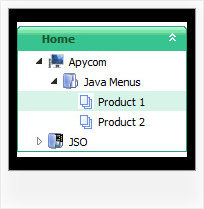
Pure Css Navigation Tree Menu Code by Deluxe-Tree.com
Pure Css Navigation Tree Menu Code


Buy Now!  Free Trial Download

Menu Screenshots Pure Css Navigation Tree Menu Code

Pure Css Navigation Tree Menu Code Javascript Tree Scrolling

Features Pure Css Navigation Tree Menu Code

Unrivalled Features
  • Scrollable, dragable, floating
  • Unique Java Script API for altering menu "on-the-fly", without page reloading
  • AJAX technology - loads menu data from the server "on-fly and on-demand".
Compatibility              
  • Full cross-browser compatibility including IE, Netscape, Mozilla, Opera, Firefox, Konqueror and Safari on Windows, Mac OS and Linux
  • Menu can be populated from a database using ASP, PHP, etc.
  • Search engine friendly
  • Support for any doctypes
  • Fits for secure sites
Tree Transparency Pure Css Navigation Tree Menu Code
Seamless Integration
  • Visible over flash, select boxes, iframes, java applets
  • Multiple menus on the same page
  • Amicable to other scripts and css styles
  • Any HTML code can be used inside menu items
High Performance
  • AJAX menu loading - loads web menu data from the server "on-the-fly".
  • Commonly loads quicker than other html page elements
  • Runs well with an unlimited number of submenus and items
Professional Look-n-feel
  • Entirely customizable look-n-feel
  • A lot of pre-designed pure css navigation tree menu code samples
  • Hundreds of visual effects
  • Custom CSS styles can be applied for all menu settings
Buy Now!  Free Trial Download

Javascript Tree Menu. Expandable Menu.

  • You can create 3-state icons for each item: normal state, mouseover state, expanded state.
  • Use images for icons, backgrounds of submenus and items.
  • You can use with any amount of menu and submenus on one page.
  • Insert any HTML code inside the menu item - be it a form or a picture, a flash-object or a text. This ability allows you to create various menus of any complexity.

Recent Questions Pure Css Navigation Tree Menu Code

Q: Expandable javascript menu doesn't actually affect the plus/minus icon I have specified. Any ideas?

A: It is not correctly to add expand/collapse buttons into the iconfield, they won't work. You should add icons there.

To add expand/collapse buttons you should use the followingparameters:

  var texpandBtn=["img/expandbtn.gif","img/expandbtn.gif","img/collapsebtn.gif"];
  var texpandBtnW=14;
  var texpandBtnH=14;
  var texpandBtnAlign="left";


Q: The /js subdirectory of the Apycom Tree Menu trial package has no data file, i.e. the data file is missing.

A: This file can be renamed, for example, into tree-data.js.
This file contains Javascript code with menu parameters and items.
It has the following structure:

  var param1 = value1;
  var param2 = value2;
  var param3 = value3;
...
  var tmenuItems = [...];

Please, check that.
Use our examples to see how to install the menu.
Use DHTML Tuner application from the same .zip package to create andconfigure your menus.


Q: From http://deluxe-menu.com/recent-questions-support.html
I have read:

Jul 25, 2008 - I am still interested if there is a dynamic way to rebuild (and restructure) a javascript menu example..
Q: So, I am still interested if there is a dynamic way to rebuild (and restructure) a menu w javascript, just for interest.
A: No, unfortunately it is not possible to rebuild the menu without reloading of the page now. We'll add this feature in the next version of the menu.

Can you say anything about date for that funcion?

May-be the function is ready in an un-officiel version?

I have buy this product-collect, and is in touch to implement dynamic 'ajax' menu with php, And the function to reload menu will be very pretty

A: It is not possible to rebuild/reload the menu at once,but you can use our API function to change any menu itemsw/0 page reloading, please see
http://deluxe-menu.com/functions-info.html
http://deluxe-menu.com/dynamic-functions-sample.html

Also please check
http://deluxe-menu.com/ajax-technology-menu-sample.html


Q: Looks like this drop down menu creator does not allow you to select the levels with no text.

A: It is possible to select items without text. Please, try once again.
You can also use downwards and upwards arrows on the keyboard.