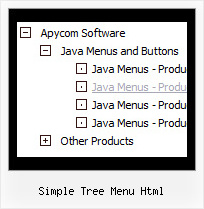
Recent Questions Simple Tree Menu Html
Q: It appears that this product only supports IE (on the PC and Mac). It does not support Safari or Netscape on any platform. Is that correct?
I ask because I like the product and would like to purchase the developer\'s license but our users represent a wide range of platforms and browsers.
A: DHTML products support a major part of modern browsers:
IE 5+
Opera 5+
Mozilla/Firefox
NS 6+
Also they support MAC browsers: Safari, IE, Firefox.
But DHTML Menu has some problems on this browsers with a submenuspositioning in some cases.
If you can't see Tree Menu in Firefox you should set these parameters:
Try to specify units in "px".
var tmenuWidth = "280px";
It's necessary to specify exact value for Mozilla browsers. It helpsto position menus correctly.
You should set this parameter:
var tmenuHeight = "auto";
Q: When I put any new link on my javascript scrolling menu info tree it goes as if I am placing as _blank when I have it leading to _self.
A: No you have:
var titemTarget="_blank";
And you haven't specified "_self" parameter to
["||Unilock Fireplace MODS","fireplace_unilock_mods.htm", "", "", "", "", "", "", "", ],
You should set
var titemTarget="_self";
or set "_self" parameter for each item individually:
["||Unilock Fireplace MODS","fireplace_unilock_mods.htm","", "", "", "_self", "", "", "", ],
Q: I figure I'm missing something basic ....
I've created a simple horizontal menu and uploaded the various files to to my website go generate the bar food menu
How do I add content to each tab rollovers so that the content will appear on this same page (as opposed to having to move to another page)?
i.e. when you click on starters, you see the starter below,
when you click on mains you see the mains below
etc. etc.
I'm new to this .....
A: You should paste your content in the <div> .. </div> tags.
<div id="content1" style=" visibility: hidden;" class="tabPage">
<br><br><br>
<p align=center><img src="img/logo_DM.gif" width=262 height=56 alt="Deluxe-Menu.com"></p>
</div>
<div id="content2" style="visibility: hidden;" class="tabPage">
<br><br><br>
<p align=center><img src="img/logo_DT.gif" width=262 height=56 alt="Deluxe-Tree.com"></p>
</div>
<div id="content3" style=" visibility: hidden;" class="tabPage">
<br><br><br>
<p align=center><img src="img/logo_DTabs.gif" width=254 height=58 alt="Deluxe-Tabs.com"></p>
</div>
See in Deluxe Tabs there are two modes:
1. var tabMode=0;
You can create only one level of tabs and assign Object Id's of theDIV's to show when you click on the tab rollovers.
["XP Tab 1","content1", "", "", "", "", "", "", "", ],
["XP Tab 2","content2", "", "", "", "", "", "", "", ],
["XP Tab 3","content3", "", "", "", "", "", "", "", ],
["XP Tab 4","content4", "", "", "", "", "", "", "", ],
2. var tabMode=1;
You can assign only links in this mode.
You should create top level items with subitems.
["XP Tab 1","", "", "", "", "", "", "", "", ],
["|Link 1_1","http://deluxe-tabs.com", "", "", "", "", "0", "", "", ],
["|Link 1_2","testlink.htm", "", "", "", "", "0", "", "", ],
["|Link 1_3","testlink.htm", "", "", "", "", "0", "", "", ],
["|Link 1_4","testlink.htm", "", "", "", "", "0", "", "", ],
["|Link 1_5","testlink.htm", "", "", "", "", "0", "", "", ],
["XP Tab 2","", "", "", "", "", "", "", "", ],
["|Link 2_1","testlink.htm", "", "", "", "", "0", "", "", ],
["|Link 2_2","testlink.htm", "", "", "", "", "0", "", "", ],
["|Link 2_3","testlink.htm", "", "", "", "", "0", "", "", ],
["|Link 2_4","testlink.htm", "", "", "", "", "0", "", "", ],
["|Link 2_5","testlink.htm", "", "", "", "", "0", "", "", ],
["XP Tab 3","", "", "", "", "", "", "", "", ],
["|Link 3_1","testlink.htm", "", "", "", "", "0", "", "", ],
["|Link 3_2","testlink.htm", "", "", "", "", "0", "", "", ],
["|Link 3_3","testlink.htm", "", "", "", "", "0", "", "", ],
["|Link 3_4","testlink.htm", "", "", "", "", "0", "", "", ],
["|Link 3_5","testlink.htm", "", "", "", "", "0", "", "", ],
You can use Object ID as well as Link in both modes. Use the following prefixes within item's link field:
"object:" - means that there is object id after it;
"link:" - means that there is a link after it.
"javascript:" - means that there is a javascript code after it, for example:javascript:alert(\'Hello!\')
So, you should write for example:
["|Link 1_1","object:Content1_1", "", "", "", "", "0", "", "", ],
Q: When running DeluxeMenu with IE or Firefox, the background (appearance and items) is transparent.
It is not smart because it affects the reading of the menu's.
My question is: how can I fix this problem for IE and Firefox ?
If you look at it with Opera (version 9.00) one does not have the problem.
A: You should set this parameter:
var transparency="100";