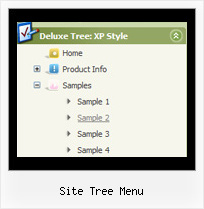
Recent Questions Site Tree Menu
Q: I am using XP style tree menu and would like to have top level menu item with no submenu items. However, the right double arrow icon still show up. Is there a way to hide it for the item without submenu items in css javascript tree menu?
See the attached document, I want to remove the double arrow icon at right for "Mission Statement", "History", "Direction" and "Contact Us".
Any help will be appreciated.
A: You can create Individual XP Style and use it for items with submenus:
var tXPExpandBtn=["left.files/blank-arrow.gif","left.files/blank-arrow.gif","left.files/blank-arrow.gif","left.files/blank-arrow.gif"];
var tXPStyles = [
["tXPExpandBtn=left.files/menu-arrow.gif,left.files/menu-arrow.gif,left.files/menu-arrow01.gif,left.files/menu-arrow01.gif"],
];
and assign this style for all top items with submenus:
["Home","", "", "", "", "", "", "0", "", "", ],
["+Company Profile","", "", "", "", "", "", "0", "0", "", ], //style 0
["|Item 25","", "", "", "", "", "", "1", "", "", ],
["|Item 26","", "", "", "", "", "", "1", "", "", ],
["+Projects","", "", "", "", "", "", "0", "0", "", ], //style 0
["|Item 27","", "", "", "", "", "", "1", "", "", ],
["|Item 28","", "", "", "", "", "", "1", "", "", ],Q: When I load a page the first tab of the creating tab menu is always highlighted, not the contact tab.
A: I suppose that you've set the following parameter:
var bselectedItem=1;
So, the first tab is always highlighted.
This Tab menu can save pressed item automatically within1 page only.
If you open another page, the menu can't remember presseditem.
You should do that manually using Javascript and menu parameters
( var bselectedItem, var bselectedSmItem) or using any server-sidescript (php, asp, etc.)
You should delete this parameter from your data file and write thefollowing code
on each page before you call your data file, for example:
<script language="JavaScript1.2">
var bselectedItem = 3;
</script>
Q: I am currently testing the DHTML Tabs product, and I am trying to find ways of replicating how it is being done in your website at
http://deluxe-tabs.com/.
In your website, when I click on a Tab, the content relevant to that tab appears. I understand that the site is using "div id= " method to control. However, my question is how can I code the DIV to appear in the JS file of my mouseover tabs?
A: See, for each item you should assign the ID property of the contentDIV (see data file with your menu parameters).
["Style Name","contentName", "", "", "", "", "1", "", "", ],
["-","", "", "", "", "", "0", "", "", ],
["Style Description","contentDescription", "", "", "", "", "", "", "", ],
["-","", "", "", "", "", "0", "", "", ],
["Style Variations","contentVariations", "", "", "", "", "", "", "", ],
["-","", "", "", "", "", "0", "", "", ],
["Empty","", "", "", "", "", "2", "", "", ],
And on your html page you should create DIV's with such ID.
<div id="contentName" style="height: 0%; visibility: hidden;" class="tabPage">
<br><br><br>
<p align=center><img src="img/style01_title.gif" width=140 height=90 alt="Glass Style Tabs"></p>
<br><br><br>
You should paste your content here!!!!!
</div>
<div id="contentDescription" style="height: 0%; visibility: hidden;" class="tabPage">
<br><br><br>
<p align=center><img src="img/style01_title.gif" width=140 height=90 alt="Glass Style Tabs"></p>
<br><br><br>
You should paste your description here!!!!!
</div>
You can paste any code within DIV's (PHP, Javascript ...)
Q: Is there a way to specify certian font styles escpecailly a hanging indent on the text of the navigation menubar?
A: You should use Individual styles, for example:
var itemStyles = [
["fontStyle=bold 12px Arial,Helvetica", "fontDecoration=none,underline"], // style 0
["fontStyle=normal 12px Arial,Helvetica", "fontDecoration=underline,underline"], // style 1
["fontStyle=normal 14px Arial,Helvetica", "fontDecoration=none,none"], // style 2
];
And assign styles to your items:
var menuItems = [
["1 Item","index.php","","","","_self","0",,,],
["2 Item","","","","","_self","1",,,],
["|Submenu Item","","","","","_self","2",,,],
...