Dtree Treeview by Deluxe-Tree.com
Dtree Treeview


Buy Now!  Free Trial Download

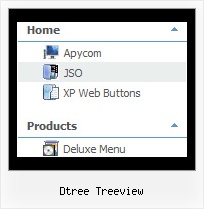
Menu Screenshots Dtree Treeview

Dtree Treeview Javascript Tree Select

Features Dtree Treeview

Cost Effective
Compatibility              
  • Full cross-browser compatibility including IE, Netscape, Mozilla, Opera, Firefox, Konqueror and Safari on Windows, Mac OS and Linux
  • Menu can be populated from a database using ASP, PHP, etc.
  • Search engine friendly
  • Support for any doctypes
  • Fits for secure sites
Xp Slide Menu Tree Dtree Treeview
High Performance
  • AJAX menu loading - loads web menu data from the server "on-the-fly".
  • Commonly loads quicker than other html page elements
  • Runs well with an unlimited number of submenus and items
Unrivalled Features
  • Scrollable, dragable, floating
  • Unique Java Script API for altering menu "on-the-fly", without page reloading
  • AJAX technology - loads menu data from the server "on-fly and on-demand".
Seamless Integration
  • Visible over flash, select boxes, iframes, java applets
  • Multiple menus on the same page
  • Amicable to other scripts and css styles
  • Any HTML code can be used inside menu items
Buy Now!  Free Trial Download

Javascript Tree Menu. Expandable Menu.

  • Good menu is an essential part of website commercial success. If people can't find their way around the site, they will fast give up seeking and retire, never to return. So, it's extreme serious that your website has a accurate, precise, prompt, and navigation of immaculate appearance.
    Don't let your web site guests to get lost. Try Javascript/DHTML Tree!

Recent Questions Dtree Treeview

Q: In Mozilla, java script drop down menu is displayed but without transitional Effects.

A: Filters and transitional effects are features of Internet Explorer5.5+ only.

See more info here:

http://www.deluxe-menu.com/filters-and-effects-sample.html


Q: Using data-visa-5.js

Trying to get the menu to start collapsed rather than fully expanded.

Thought it was the   var texpanded=0 setting but doesn't seem to have any effect.

A: See, when you set + sign before item's text that is mean that thisitem will be expanded.
Now you have:

["+   Home","index.php","","","Home","","","1",""],
["+   Current Weather","","","","Current Weather","","","1",""],
 ["|Hourly Forecast","index.php?forecast=avnmos&zipcode=55744&oc=mosview_option|forecast","","","Hourly Forecast",,,],
 ["|Warnings/Advisories","index.php?forecast=warnings&zipcode=55744","","","Warnings/Advisories",,,],
 ["|Special Weather Alerts","index.php?config=&forecast=special&zipcode=55744","","","Special Weather Alerts",,,],
 ["|Live Weather","javascript:open('../../wxflash/index.htm','_blank')","","","Live Weather",,,],
["+   WeatherForum","/forum/index.php","","","Home","","","1",""],
["+   Weather Cams","","","","Weather Cams","","","1",""],
 ["|RapidsCam East","javascript:open_win('../../webcam/eastcam.asp',335,270,0,0,0,0,0,0,0,0,2,'cameast');","","","RapidsCam East",,,],
 ["|RapidsCam West","javascript:open_win('../../webcam/westcam.asp',367,270,0,0,0,0,0,0,0,0,3,'camwest');","","","RapidsCam West",,,],
["+   Weather Maps","","","","Weather Maps","","","1",""],

Delete + signs from your items:

["   Home","index.php","","","Home","","","1",""],
["   Current Weather","","","","Current Weather","","","1",""],
 ["|Hourly Forecast","index.php?forecast=avnmos&zipcode=55744&oc=mosview_option|forecast","","","Hourly Forecast",,,],
 ["|Warnings/Advisories","index.php?forecast=warnings&zipcode=55744","","","Warnings/Advisories",,,],
 ["|Special Weather Alerts","index.php?config=&forecast=special&zipcode=55744","","","Special Weather Alerts",,,],
 ["|Live Weather","javascript:open('../../wxflash/index.htm','_blank')","","","Live Weather",,,],
["   WeatherForum","/forum/index.php","","","Home","","","1",""],
["   Weather Cams","","","","Weather Cams","","","1",""],
 ["|RapidsCam East","javascript:open_win('../../webcam/eastcam.asp',335,270,0,0,0,0,0,0,0,0,2,'cameast');","","","RapidsCam East",,,],
 ["|RapidsCam West","javascript:open_win('../../webcam/westcam.asp',367,270,0,0,0,0,0,0,0,0,3,'camwest');","","","RapidsCam West",,,],
["   Weather Maps","","","","Weather Maps","","","1",""],


Q: Your drop down menu builder makes about every kind of menu except the one that is hot right now...the slider menu.

A: But we have the Tree Menu, http://deluxe-tree.com
It is the slide menu.

See also other APYCOM products:
Deluxe Tabs, http://deluxe-tabs.com
Deluxe Popup Window, http://deluxepopupwindow.com
Calendar Date Picker, http://www.calendardatepicker.com
Vista Buttons, http://vista-buttons.com
Vista Photo Gallery, http://vistaphotogallery.com


Q: I am using Deluxe-menu 3.0.

I can add dhtml popup menu items and submenu items. Each new sub menu item is placed at the bottom of that list. How can I move it up in the listing.

For instance if my menus are:

2007
2006
2005
2004

and I add 2008 - it will be placed below 2004, but I want it at the top of the list. Each item in the list has multiple subitems, so I don't want to delete the other items to get it in the correct order.

I looked through your help file, FAQ and online questions and could not find an answer.

A: To move items select items you want and use a mouse drag'n'drop method.

To copy dhtml popup menu items select those you want and use a mouse drag'n'drop method holding a Ctrl key.

You can find this info in Tuner's help, "Main Window" sheet.