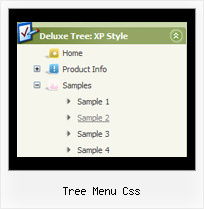
Tree Menu Css by Deluxe-Tree.com
Tree Menu Css


Buy Now!  Free Trial Download

Menu Screenshots Tree Menu Css

Tree Menu Css Creating Menu Tree View

Features Tree Menu Css

Easy Setup
  • De Luxe Tuner. GUI interface to create your tree menu css menus easily and in no time
  • Sensible menu parameters for manual editing
Unrivalled Features
  • Scrollable, dragable, floating
  • Unique Java Script API for altering menu "on-the-fly", without page reloading
  • AJAX technology - loads menu data from the server "on-fly and on-demand".
Tree Scrolling Icons Tree Menu Css
Professional Look-n-feel
  • Entirely customizable look-n-feel
  • A lot of pre-designed tree menu css samples
  • Hundreds of visual effects
  • Custom CSS styles can be applied for all menu settings
High Performance
  • AJAX menu loading - loads web menu data from the server "on-the-fly".
  • Commonly loads quicker than other html page elements
  • Runs well with an unlimited number of submenus and items
Cost Effective
Buy Now!  Free Trial Download

Javascript Tree Menu. Expandable Menu.

  • These effects will make your menu more attractive and stylish. Among available transitional effects there are such as fade, mosaic, random dissolve, slide out and many others.
  • Create individual styles and assign them to any submenu and item. Use individual styles to achieve stunning effects!

Recent Questions Tree Menu Css

Q: How can I add a separator to the vertical menu using the dynamic functions?
It seems as though the only way to get a separator into the menu is by defining itbefore hand, but the website I'm building will require me to reload themenus dinamically, and I'm losing the ability to put separators on it.

A: You should add items using the following function:

function dm_ext_addItem (menuInd, submenuInd, iParams)
or
function dm_ext_addItemPos (menuInd, submenuInd, iParams, Pos)

Find more info:
http://deluxe-menu.com/functions-info.html

Set the following parameter:
  var dm_writeAll=1;

So, you should write:
dm_ext_addItem(0, 4,  ["|-", "", "", "", "", "", "", ])


Q: I have deluxe-menu 3.2.5 and now I can't open my old menu files. I get thefollowing error message in dhtml menu creator "Can't open the file:
H:\data-menu.js. Check youre encode parameter." I have tried to open several different menu files and I always get the same error message. Do you have any solution of this problem?

A: You should change Deluxe Tuner settings:

Try to turn off the encoding property "Tools/use utf8 encode" and open your datafile once again.


Q:  1) is it possible to have multiple(different) images, popup menus?

 2) Can it Automatically popup instead of Left click?
 Would you show me How?

  3) What is: menuInd - index of the javascript menu script on a page, >= 0 ?
 Could you give more explanation?

A: >  1) is it possible to have multiple(different) images, popup menus?
Yes, you can use any number of popup menus on your page.

>  2) Can it Automatically popup instead of Left click?
>  Would you show me How?
You can use onMouseOver event instead of onClick or onContextMenu events in that case.

> 3) What is: menuInd - index of the javascript menu script on a page, >= 0 ?
Each menu has ID. The ID's number starts with 0.

So, when you have several data files on your page you have such ID's:

<script type="text/javascript" language="JavaScript1.2" src="menu-top.js"></script> // ID - 0 //standard menu (doesn't use popup feature)

<script type="text/javascript" language="JavaScript1.2" src="source_pop.js"></script> // ID - 1

<script type="text/javascript" language="JavaScript1.2" src="source_pop1.js"></script> // ID - 2

<script type="text/javascript" language="JavaScript1.2" src="source_pop2.js"></script> // ID - 3

<script type="text/javascript" language="JavaScript1.2" src="source_pop3.js"></script> // ID - 4

and so on.

If you want to have different Popup menus (there color, item, text,font and so on) you should create different .js files with yourparameters. And call them from your page, for example:

<script type="text/javascript" language="JavaScript1.2" src="menu-top.js"></script>

<SCRIPT language=JavaScript1.2 src="source_pop.js" type=text/javascript></SCRIPT>
<SCRIPT language=JavaScript1.2 src="source_pop1.js" type=text/javascript></SCRIPT>
<SCRIPT language=JavaScript1.2 src="source_pop2.js" type=text/javascript></SCRIPT>
<SCRIPT language=JavaScript1.2 src="source_pop3.js" type=text/javascript></SCRIPT>

If you have different item text only you can use one
<SCRIPT language=JavaScript1.2 src="source_pop.js" type=text/javascript></SCRIPT>
file. But you should delete the following code:

  var menuItems = [

["Next","testlink.htm"],
["Prev","testlink.htm"],
["Close","testlink.htm"],
];

dm_init();

and move it to the html page:

<body>
...
<SCRIPT language=JavaScript1.2 src="source_pop.js" type=text/javascript></SCRIPT>
<script type="text/javascript"> //first popup menu ID - 1
  var menuItems = [

["Next","testlink.htm"],
["Prev","testlink.htm"],
["Close","testlink.htm"],
];

dm_init();
</SCRIPT>
<script type="text/javascript"> //second popup menu ID - 2
  var menuItems = [

["Text","testlink.htm"],
["Text1","testlink.htm"],
["Text2","testlink.htm"],
];

dm_init();
</SCRIPT>
<script type="text/javascript"> //third popup menu ID - 3
  var menuItems = [

["New_Text","testlink.htm"],
["New_Text1","testlink.htm"],
["New_Text2","testlink.htm"],
];

dm_init();
</SCRIPT>

<script type="text/javascript"> //fourth popup menu ID - 4
  var menuItems = [

["New","testlink.htm"],
["New","testlink.htm"],
["New","testlink.htm"],
];

dm_init();
</SCRIPT>

<img src="testimage.gif" width=200 onClick="return dm_popup(1, 1000, event);" style="cursor: hand;">
<img src="testimage.gif" width=200 onClick="return dm_popup(2, 1000, event);" style="cursor: hand;">
<img src="testimage.gif" width=200 onClick="return dm_popup(3, 1000, event);" style="cursor: hand;">
<img src="testimage.gif" width=200 onClick="return dm_popup(4, 1000, event);" style="cursor: hand;">

</body>


Q: I want to have the pop up window display as you mouse over an image/link - is this possible?

A: For example you want to open a popup onMouseover, onClick or
onMouseout on a link.

So, you should create a link on your page and set id="" for it, forexample:

<a href="javascript:;" id="link">Open popup OnClick</a>
<a href="javascript:;" id="over">Open popup OnMouseover</a>
<a href="javascript:;" id="out">Open popup OnMouseOut</a>

In Deluxe Tuner you should set:
onMouseOver - over
onMouseOut - out
onClick - link

So you'll have

deluxePopupWindow.attachToEvent(win,',,onClick=link,onMouseOver=over,onMouseOut=out,')