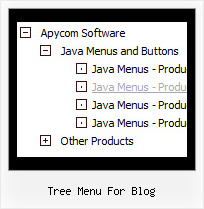
Recent Questions Tree Menu For Blog
Q: We really like your deluxe menu product and are interested in making a multiple website license purchase.
In our current production environment, we build sites on a local machine (no domain) and move the files/sites to multiple servers depending on where the domain is being hosted.
Do we have to reconfigure the domain key each time we move deluxe menu related site files from the actual domain server to our local production environment and back again?
A: Notice your key will work on registered domain only. It won't work onlocal machine.
If you want to use the menu on the local production environment youshould buy Developer License.
The Developer license you can use the menu on an unlimited number of Internet or Intranet sites and on the local machines.
This version of the script doesn't check keys and it isn't bound to adomain name.
Q: Is there a way to programmatical select an item in the scrolling menu without the user actual click on the item?
A: You can set a pressed item using Javascript API:
function dm_ext_setPressedItem (menuInd, submenuInd, itemInd, recursion)
Sets a current pressed item.
menuInd - index of a menu on a page, >= 0.
submenuInd - index of a submenu, >= 0.
itemInd - index of an item, >=0.
recursion = true/false - highlight parent items.
But notice, to use dm_ext_setPressedItem() you should know ID of selected item and subitem.
You can't get this ID after you reload your page. That is why you should write your own code on PHP.
Q: Is your menu maker compatable with Expression Web?
A: JavaScript Tree Menu wasn't developed as Dreamweaver/Frontpage/Microsoft Expression Web extension,BUT you can use it as standard Javascript files. To install the menuinto your html page:
1. open the page in your program
2. open html source code of the page
3. add several rows of code (<script> tags), For info see: http://deluxe-menu.com/installation-info.html
That's all.
To create and configure your menus use Deluxe Tuner application(included into the trial package):
http://deluxe-menu.com/deluxe-Tuner-info.htmlQ: Will html navigation bar work with site created using FrontPage?
A: Yes, Deluxe CSS Menu will work fine with site created in Frontpage.
Add all code generated by Deluxe Tuner.
You should copy all css styles for the menu and add it into your own .css file (orcreate a new .css file for the menu and call it on your page).
Then copy all HTML code for the menu and paste it in the place where you want to have amenu.
To view css styles and html code click "View HTML" button on the Preview window in theDeluxe Tuner.