Javascript Simple Tree by Deluxe-Tree.com
Javascript Simple Tree


Buy Now!  Free Trial Download

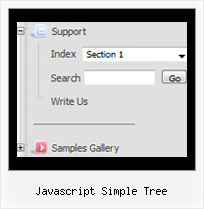
Menu Screenshots Javascript Simple Tree

Javascript Simple Tree Tree Dropdown Fade Menu

Features Javascript Simple Tree

Easy Setup
  • De Luxe Tuner. GUI interface to create your javascript simple tree menus easily and in no time
  • Sensible menu parameters for manual editing
Professional Look-n-feel
  • Entirely customizable look-n-feel
  • A lot of pre-designed javascript simple tree samples
  • Hundreds of visual effects
  • Custom CSS styles can be applied for all menu settings
Layers Con Tree Javascript Simple Tree
Cost Effective
High Performance
  • AJAX menu loading - loads web menu data from the server "on-the-fly".
  • Commonly loads quicker than other html page elements
  • Runs well with an unlimited number of submenus and items
Unrivalled Features
  • Scrollable, dragable, floating
  • Unique Java Script API for altering menu "on-the-fly", without page reloading
  • AJAX technology - loads menu data from the server "on-fly and on-demand".
Buy Now!  Free Trial Download

Javascript Tree Menu. Expandable Menu.

  • There can be as many submenus as you want.
  • Use a mouse to drag a menu as a usual window.
  • When the page is scrolled the menu remains visible. The Javascript/DHTML Tree can "float" along one or two coordinate axes. After clicking on menu item selected item becomes highlighted.

Recent Questions Javascript Simple Tree

Q: I would like to create my own jpeg images and use them as the mouseover-items in the top level cascading menu. I am not talking about the backround. I mean the actual upfront button. I seem to be locked into the size which is the default and would like to change it to width = 180px and height = 45px for each item in the menu. Is there any way to do that?

A: You should create Individual Style and assign it for all top items.

  var itemStyles = [
["itemWidth=180px"],
];

  var menuItems = [

["Home","testlink.html", "", "", "", "", "0", "", "", ],
["Product Info","", "deluxe-menu.files/icon1.gif", "deluxe-menu.files/icon1o.gif", "", "", "0", "", "", ],


Q: I want to usecss tab navigation menu and i don't have any idea as to how to insert conent?

A: See in Deluxe Tabs there are two modes:

1.   var tabMode=0;
You can create only one level of tabs and assign Object Id's of theDIV's to show when you click on the tab.

["XP Tab 1","content1", "", "", "", "", "", "", "", ],
["XP Tab 2","content2", "", "", "", "", "", "", "", ],
["XP Tab 3","content3", "", "", "", "", "", "", "", ],
["XP Tab 4","content4", "", "", "", "", "", "", "", ],

2.   var tabMode=1;
You can assign only links in this mode.
You should create top level items with subitems.

["XP Tab 1","", "", "", "", "", "", "", "", ],
 ["|Link 1_1","http://deluxe-tabs.com", "", "", "", "", "0", "", "", ],
 ["|Link 1_2","testlink.htm", "", "", "", "", "0", "", "", ],
 ["|Link 1_3","testlink.htm", "", "", "", "", "0", "", "", ],
 ["|Link 1_4","testlink.htm", "", "", "", "", "0", "", "", ],
 ["|Link 1_5","testlink.htm", "", "", "", "", "0", "", "", ],
["XP Tab 2","", "", "", "", "", "", "", "", ],
 ["|Link 2_1","testlink.htm", "", "", "", "", "0", "", "", ],
 ["|Link 2_2","testlink.htm", "", "", "", "", "0", "", "", ],
 ["|Link 2_3","testlink.htm", "", "", "", "", "0", "", "", ],
 ["|Link 2_4","testlink.htm", "", "", "", "", "0", "", "", ],
 ["|Link 2_5","testlink.htm", "", "", "", "", "0", "", "", ],
["XP Tab 3","", "", "", "", "", "", "", "", ],
 ["|Link 3_1","testlink.htm", "", "", "", "", "0", "", "", ],
 ["|Link 3_2","testlink.htm", "", "", "", "", "0", "", "", ],
 ["|Link 3_3","testlink.htm", "", "", "", "", "0", "", "", ],
 ["|Link 3_4","testlink.htm", "", "", "", "", "0", "", "", ],
 ["|Link 3_5","testlink.htm", "", "", "", "", "0", "", "", ],

You can use Object ID as well as Link in both modes.
Use the following prefixes within item's link field:"object:" - means that there is object id after it;
"link:" - means that there is a link after it.
"javascript:" - means that there is a javascript code after it, for example:javascript:alert(\'Hello!\')

So, you should write for example:
 ["|Link 1_1","object:Content1_1", "", "", "", "", "0", "", "", ],

Q: For how long our purchase does entitle us to getting the upgrades for the dhtml menu software?

A: All minor upgrades you'll get for free (for example, 2.4->2.7).
All major upgrades you'll get for free during 1 year (for example, 2.4->3.0).

For example, if there's some major upgrades (1.7 -> 2.0 -> 4.0)
you'll get them for free during one year.

But if there'll be no major upgrades during some period (2.72 -> 2.81 -> 2.92). And after 3 year, for example, there will be major upgrade to 3.0. So you can upgrade for free.

We can offer you a big discount for the major upgrade after one year.


Q: I got your non-profit license a couple of days ago and I’m putting all the pieces together. I appreciate the license. I am having a problem with css styles. I have my site set up with css but can’t figure out how to get deluxe menu to see the css. I have read through the help and examples. I feel so dense. When I set the parameter to 1 what else do I need to see the styles?


A: We have several examples of the menus using css.

You should set   var cssStyle=1; parameter and then assign your stylesto the items.

  var cssSubmenu is a CSS class name for all submenus. You can set, forexample, background color, background image, borders for all submenus.

  var cssItem is CSS class names for all items (normal state, mouseoverstate) in the top menu and submenus.

  var cssItemText is CSS class names for text of all items (normalstate, mouseover state) in the top menu and submenus.

It's possible to appoint individual CSS styles for separate elements of the menu using individual item styles and individual submenu styles.