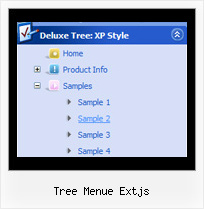
Recent Questions Tree Menue Extjs
Q: I can't get the popup menu sample (rightclick) to work in Opera. Does Deluxe-menu support opera for right-clicking?
Does Deluxe-menu have a gwt wrapper so we can use deluxe-menu as part of a GWT application?
A: Unfortunately, Opera doesn't support onContextMenu event.
More info you can find, for example, here:
http://lab.artlung.com/oncontextmenu/
JavaScript Tree Menu wasn't developed as Google Web Toolkit extension,BUT you can use it as standard Javascript files.
To create and configure your menus use Deluxe Tuner application(included into the trial package):
http://deluxe-menu.com/deluxe-tuner-info.html
Please, try the trial version.
Q: You have a great, and very intuitive and easy to learn, product.
I'm down to two dumb questions:
A. What controls the little red arrows? I'd like them on every one of the navigators.
B. How do I create equal space between the drop down menu items? It looks weird right now.
A: 1) If your top item has a submenu this arrow will appear automatically.
For the items without submenus you may write:
["Home <img src='skin_data.files/arrowmain11.gif'>","index.html", "", "", "", "_self", "", "", "", "", "", ],
["About Us <img src='skin_data.files/arrowmain11.gif'>","about_us.html", "", "", "", "_self", "", "", "", "", "", ],
You can find arrowmain11.gif image in the attached example.
Actually you can add any html code inside item's text.
2) Set the drop down menu padding:
var itemPadding="3px 15px 3px 3px";Q: We are evaluating your product Javascript/DHTML Tree-menu.
We want that when user clicks an item, then load other page. This other page also conatains the tree menu. But, we are looking for how we have to do for the previously clicked menu items in java (in the previous page) remains highlighted for inform to user what is his current page/selection.
We know toggleMode feature, but after the second page loads, the clicked item does not remain higlighted.
It is possible to achieve this behavior with your product???
A: You should use API functions in that case
function dtreet_ext_expandItem (itemID, expand)
function dtreet_ext_setPressedItem (menuInd, itemID)
See more info about API functions:
http://deluxe-tree.com/functions-info.html
See the samples:
http://deluxe-tree.com/dynamic-drop-down-menu-sample.html
and
http://deluxe-tree.com/highlight-selected-menu-item-sample.html
Q: Is there a way to programmatically close a hover popup via javascript?
A: You can close the popup using the following function:document.getElementById('win').hide();
Unfortunately it won't work if you use iframe as window content.
You open another page in the popup (in Iframe) so you cannot access
document.getElementById('win').hide();
element which is situated on the first page.
When you use text or object_id as window content the content of the popup will be situated
on the same page so you can access document.getElementById('win') element and hide it.
There is a workaround for Iframe.
Use text as content type and add the following code inside popup:
<a onclick="document.getElementById('win').hide();">...</a> <iframe></iframe>