Recent Questions Treemenu
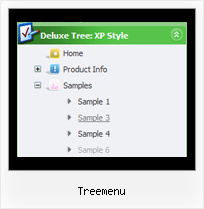
Q: Can I put the icon on the left hand side of the text or does it have to be the right in the tree menu script?
A: You can put the icon as you wish on the left or right side.
You may set a alignment of icons and arrows.
To set them use these parameters:
var ticonAlign="right";
var texpandBtnAlign="right";
To set alignment of the top items in XP-style use:
var tXPAlign="right";
Q: I have been trying to get ‘Content’ in to the float tab, and I cannot find how that is done.
A: You should specify any Object ID name of the DIV.
See, for each item you should assign the ID property of the contentDIV (see data file with your menu parameters).
["Style Name","contentName", "", "", "", "", "1", "", "", ],
["-","", "", "", "", "", "0", "", "", ],
["Style Description","contentDescription", "", "", "", "", "", "", "", ],
["-","", "", "", "", "", "0", "", "", ],
["Style Variations","contentVariations", "", "", "", "", "", "", "", ],
["-","", "", "", "", "", "0", "", "", ],
["Empty","", "", "", "", "", "2", "", "", ],
And on your html page you should create DIV's with such ID. You canset background image for these DIV's in styles.
<div id="contentName" style="height: 0%; visibility: hidden; background-image: url('img/back.jpg'); background-repeat:repeat-y;" class="tabPage">
<p align=center><img src="img/style01_title.gif" width=140 height=90 alt="Glass Style Tabs"></p>
You should paste your content here!!!!!
</div>
<div id="contentDescription" style="height: 0%; visibility: hidden;" class="tabPage">
<p align=center><img src="img/style01_title.gif" width=140 height=90 alt="Glass Style Tabs"></p>
You should paste your description here!!!!!
</div>
Q: Could you please just help me - I have been using quirks mode to create our customer sites and would now like to start using a proper doctype like:
But when I change it, all the down menus dhtml break on the sites.
A: Try to specify all units in "px":
var itemPadding="3px";
var itemStyles = [
["fontStyle=normal 11px Lucida SansUnicode","fontColor=#FFFFFF,#FFFFFF","itemBackColor=#DE2829,#C62829","itemBorderWidth=0",
"itemBorderColor=#FFFFFF,#C21212","itemBorderStyle=solid,solid",
"itemBackImage=blank.gif,blank.gif","itemWidth=160px"], ["itemWidth=129px"],
];
var menuStyles = [
["itemSpacing=0", "itemPadding=8px"]
];
Q: When viewed in the DeLuxe Tuner preview mode everything is OK and as desired, but in the IE8 view the dropdown menus are still centered instead of flush left.
A: Try to install the menu in the following way:
<td align="center">
<span style='text-align:left'>
<script type="text/javascript" src="data.js">
</script>
</span></td>