Treeview Menu Css by Deluxe-Tree.com
Treeview Menu Css


Buy Now!  Free Trial Download

Menu Screenshots Treeview Menu Css

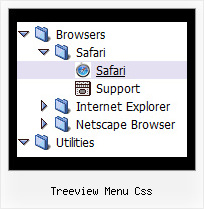
Treeview Menu Css Createpopup Tree Example

Features Treeview Menu Css

Unrivalled Features
  • Scrollable, dragable, floating
  • Unique Java Script API for altering menu "on-the-fly", without page reloading
  • AJAX technology - loads menu data from the server "on-fly and on-demand".
Cost Effective
Tree Drag Drop Web Tree Treeview Menu Css
Professional Look-n-feel
  • Entirely customizable look-n-feel
  • A lot of pre-designed treeview menu css samples
  • Hundreds of visual effects
  • Custom CSS styles can be applied for all menu settings
Compatibility              
  • Full cross-browser compatibility including IE, Netscape, Mozilla, Opera, Firefox, Konqueror and Safari on Windows, Mac OS and Linux
  • Menu can be populated from a database using ASP, PHP, etc.
  • Search engine friendly
  • Support for any doctypes
  • Fits for secure sites
Seamless Integration
  • Visible over flash, select boxes, iframes, java applets
  • Multiple menus on the same page
  • Amicable to other scripts and css styles
  • Any HTML code can be used inside menu items
Buy Now!  Free Trial Download

Javascript Tree Menu. Expandable Menu.

  • Use a mouse to move a menu as a usual window.
  • When the page is scrolled the menu remains visible. The menu can "float" along one or two coordinate axes. After clicking on menu item selected item becomes highlighted.
  • There can be as many submenus as necessary. Any submenu in its turn can include different number of columns.

Recent Questions Treeview Menu Css

Q: The menu maps to the width size of the longest menu item on the list, can you tell me how I can restrict this, and have a fixed menu size.

A: Unfortunately it is really so.
You can try to wrap your text.

You should set the following parameter:

  var noWrap = 0;

or use <br> tags within menuItems.


Q: How do I get the sub-menus to open in the 2nd frame of a 3 vertical frameset.

The menu is in the first frame. I want the sub-menus to open in the 2nd frame. I don't see how to set that parameter.


A: You should check your dm_initFrame() function.

dm_initFrame(framesetID, mainFrameInd, subFrameInd, orientation);

framesetID - id attribute of the frameset;
mainFrameInd - index of the main frame (where the top-menu is placed), >=0;
subFrameInd - index of the subframe (where the submenus will be shown), >=0;
orientation - frame orientaion: 0 - horizontal, 1 - vertical.

You should write it, for example
dm_initFrame("frmSet", 0, 1, 0);


Q: I have not seen anything that can help me in the question list and
I would like to ask how to have a php tree view closed by default.

A: You should delete "+" signs in the top items and set the followingparameter:

  var texpanded=0;


Q: I would like all my submenus of the html menu to appear in the same location on the page and not relative to the parent menu item.

A: You can do it using the following parameters:

  var subMenuAlign = "left"; - Horizontal alignment for submenus.

"pleft", "pcenter", "pright" - alignment relative to the parent submenu.

  var subMenuVAlign = "top"; - Submenus vertical alignment.

"ptop", "pcenter", "pbottom" - alignment relative to the parent submenu.