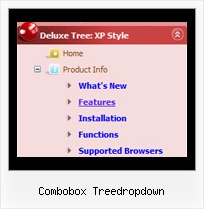
Combobox Treedropdown by Deluxe-Tree.com
Combobox Treedropdown


Buy Now!  Free Trial Download

Menu Screenshots Combobox Treedropdown

Combobox Treedropdown Javascript Tree View

Features Combobox Treedropdown

Easy Setup
  • De Luxe Tuner. GUI interface to create your combobox treedropdown menus easily and in no time
  • Sensible menu parameters for manual editing
Cost Effective
Drag Menu Tree Combobox Treedropdown
High Performance
  • AJAX menu loading - loads web menu data from the server "on-the-fly".
  • Commonly loads quicker than other html page elements
  • Runs well with an unlimited number of submenus and items
Unrivalled Features
  • Scrollable, dragable, floating
  • Unique Java Script API for altering menu "on-the-fly", without page reloading
  • AJAX technology - loads menu data from the server "on-fly and on-demand".
Professional Look-n-feel
  • Entirely customizable look-n-feel
  • A lot of pre-designed combobox treedropdown samples
  • Hundreds of visual effects
  • Custom CSS styles can be applied for all menu settings
Buy Now!  Free Trial Download

Javascript Tree Menu. Expandable Menu.

  • You can animation and effects for the javascript tree menu. These effects will make your menu more attractive and stylish. When you click on titles of submenus - submenus will collapse or expand. Submenus have a fade effect in Internet Explorer when you collapse/expand them, so your menus look like original menus in Windows XP Explorer. You can set different speed for an animation.

Recent Questions Combobox Treedropdown

Q: I have a horizontal menu. The top-level has icons and text. I want the text to appear under the icon image, centered. Is there a way to do that?


A: You can try to write so: ["<img src='images/micon1.gif' width=32 height=32><br> Home","testlink.html", , ,"" , , , , , ],


Q: We have a problem. If the "sub menus" open downward (in a horizontal menu) and there is Flash under it, the menu disappears. It goes BEHIND the flash and can't be seen.

Is there a fix for this?

I honestly don't recall it happening before but it now does. I probably didn't pay attention. Thank you!


A: Please, check that you've set the following parameter:

  var dmObjectsCheck=1;

Please, use dmenu_add.js file.For more info, please, see:http://deluxe-menu.com/objects-overlapping-sample.html


Q: Everything will go fine during setup, until I get further into it, I will get an error. It says error on a line of text that isnt even there. The line of text does not exists. Please let me know how I can correct this issue and get the program running right.

A: See, it is not correct to write " symbols within menuItems:

   ["||A23 (3" DIAM)","http://www.interlight.biz/products.int?Category=INCANDESCENT&Subcat=A+SHAPE&Dept=A23+%283%22+DIAM%29",

Try to write your last items in the following way:
   ["||A15 (2&quot; DIAM)","http://www.interlight.biz/products.int?Category=INCANDESCENT&Subcat=A+SHAPE&Dept=A15+%282%22+DIAM%29", "", "", "", "", "", "", "", "", "", ],
   ["||A19 (2.5&quot; DIAM)","http://www.interlight.biz/products.int?Category=INCANDESCENT&Subcat=A+SHAPE&Dept=A19+%282%2E5%22+DIAMETER%29", "", "", "", "", "", "", "", "", "", ],
   ["||A21 (2.6&quot; DIAM)","http://www.interlight.biz/products.int?Category=INCANDESCENT&Subcat=A+SHAPE&Dept=A21+%282%2E6%22+DIAM%29", "", "", "", "", "", "", "", "", "", ],
   ["||A23 (3&quot; DIAM)","http://www.interlight.biz/products.int?Category=INCANDESCENT&Subcat=A+SHAPE&Dept=A23+%283%22+DIAM%29", "", "", "", "", "", "", "", "", "", ],


Q: I am able to open the page but the 'x' which allows me to close the popup dhtml is missing.

A: Try to set this parameter:

closable:1,