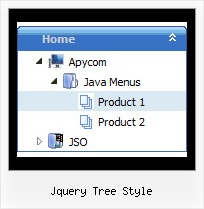
Recent Questions Jquery Tree Style
Q: Are these cool html scripts compatible with .NET?
A: Yes, JavaScript Tree Menu works in .NET.
JavaScript Tree Menu is a Javascript product. It means that it works on aclient side and it doesn't work on a server side as ASP.NET script.
So, you can create the menu using standard html page and them movemenu code within .asp page.
Q: How do your users normally indicate which page a web visitor is on, by using your navigation bar submenu?
A: JavaScript Tree Menu has only two states normal and mouseover.
Try to do the following things:
- delete var pressedItem=1; parameter from your data file
- set correct parameter on each page before you call data file, for
example:
<noscript><a href="http://deluxe-menu.com">Javascript Menu by Deluxe-Menu.com</a></noscript>
<script type="text/javascript"> var dmWorkPath = "menudir/";</script>
<script type="text/javascript" src="menudir/dmenu.js"></script>
<script type="text/javascript"> var pressedItem=3;</script>
...
<script type="text/javascript" src="menudir/data.js"></script>
You can also set a pressed item using Javascript API:
function dm_ext_setPressedItem (menuInd, submenuInd, itemInd, recursion)
Sets a current pressed item.
menuInd - index of a menu on a page, >= 0.
submenuInd - index of a submenu, >= 0.
itemInd - index of an item, >=0.
recursion = true/false - highlight parent items.
But notice, to use dm_ext_setPressedItem() you should know ID of selected item and subitem.
You can't get this ID after you reload your page. That is why you should write your own code on PHP.
Q: I just noticed as well that I cannot change the spacing of the buttons.
Right now the buttons are tight together, how do I create a gap between each dhtmlmenu button?
A: You can paste the separator.
Please, see the following parameters:
//------- Separators -------
var separatorWidth = "10";
var separatorHeight = "20";
var separatorAlignment = "center";
var separatorImage = "C";
var separatorVWidth = "150";
var separatorVHeight = "10%";
var separatorVImage = "image.jpg";
You can create separators using menuItems, for example:
var menuItems = [
["item 1"],
["-"], // this item is separator
["item 2"],
];
You can also use this parameter:
var itemPadding = "4px";
You can also set multiple values, for example:
"2px 15px 5px 5px";
(top, right, bottom, left)
Q: I now have a menu that I like. Works great, but not with the Explorer browser. Works perfectly with Firefox and Opera. Doesn't work with Explorer. I tried using Explorer installed on several computers at different installations - at home, work and at a friends house. So it doesn't appear to be anything specific to my version. I don't have high security enabled.
Can you identify my problem? I've spent hours trying to fix this.
A: Please, see your menu parameters. Now you have:
var itemBackColor = ["#0","#ffffff"];
It is not right.
You should write for example so:
var itemBackColor = ["#0000FF","#ffffff"];