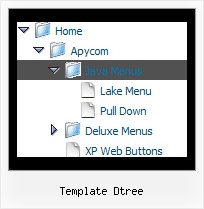
Recent Questions Template Dtree
Q: Many thanks for your response.
What I meant to say was that the Deluxe tabs onmouseover maker did not include the vertical tabs as part of its repertoire and as a result, I was not able to produce it and integrate it into my page. I am not confident that I can edit the HTML adequately to make it work on my site if the Deluxe Maker did nod not generate it. I will look at this again and see if I reinstall the deluxe tuner whether it will generate the data for the vertical tabs.
Many Thanks for your assistance.
A: Set '$' symbol in the beginning of items text to start new row:
var bmenuItems = [
["Item 39","", "", "", "", "", "", "", "", ],
["$Item 40","", "", "", "", "", "", "", "", ],
["$Item 41","", "", "", "", "", "", "", "", ],
["$Item 42","", "", "", "", "", "", "", "", ],
];
You can open the data file for this sample in Deluxe Tuner and changeit.
C:\Program Files\JavaScript Tree Menus Trial\deluxe-tabs\tabs-vertical.js
Q: I'd like to re order the position of the drop down menu's items (by example) the cities.
A-city
C-city
D-city
B-city
E-city etc.....
B-city had to come under A-city, how can we do that?
Thank you
A: I'm not sure I understand where you would like to change the position.In Deluxe Tuner or dynamically on your html page.
To move items in Deluxe Tuner select items you want and use a mouse drag'n'drop method.
See the attached screenshot. Click on the item you want to move.Move your mouse in the correct place (holding left mouse button).Wait till you'll have gray line in the place where you want to insertthe item and release mouse button.
To dynamically change your items you can use the following API function:function dm_ext_changeItem (menuInd, submenuInd, itemInd, iParams)
See more info:
http://deluxe-menu.com/functions-info.htmlQ: I want to change the background color of one of the menu items of the menu horizontal.If I understand correctly I go to INDIVIDUAL STYLES and should be able tochange the background color for one of the menu items there. Under item appearance I tried to change itemBackColor - but I can't seem to make it take affect (I tried clicking OK but its under the Style Names, so thats probably not it.
Please advise.
A: You should click "Edit Individual Styles" button.
On the 'Item Styles' tab click "Add style" button.
Set itemBackColor and click "OK" button.
Select the item you want to change the style for and assign new style for it. Go to Item Parameters window 'Item style' field.
var itemStyles = [
["itemBackColor=#EB2999,#590937"], //style0
];
var menuItems = [
["Home","testlink.html", "", "", "", "", "", "", "", "", "", ],
["Product Info","", "default.files/icon1.gif", "default.files/icon1o.gif", "", "", "0", "", "", "", "", ], //style0
Q: How about getting the entire side navigation bar to sit in the centre rather than left align?
A: You can set your menu in the <div> tag and use the alignment you need:
<!-- JavaScript Tree Menu -->
<noscript><a href="http://deluxe-menu.com">Javascript Menu by Deluxe-Menu.com</a></noscript>
<script type="text/javascript" src="menudir/dmenu.js"></script>
<!-- (c) 2009, http://deluxe-menu.com -->
<div align="center">
<script type="text/javascript" src="menudir/data.js"></script>
</div>