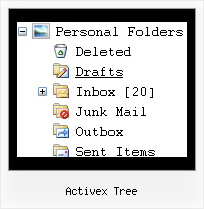
Activex Tree by Deluxe-Tree.com
Activex Tree


Buy Now!  Free Trial Download

Menu Screenshots Activex Tree

Activex Tree Drag Drop Menu Tree

Features Activex Tree

Cost Effective
Seamless Integration
  • Visible over flash, select boxes, iframes, java applets
  • Multiple menus on the same page
  • Amicable to other scripts and css styles
  • Any HTML code can be used inside menu items
Dynamic Tree Menu Activex Tree
Compatibility              
  • Full cross-browser compatibility including IE, Netscape, Mozilla, Opera, Firefox, Konqueror and Safari on Windows, Mac OS and Linux
  • Menu can be populated from a database using ASP, PHP, etc.
  • Search engine friendly
  • Support for any doctypes
  • Fits for secure sites
Unrivalled Features
  • Scrollable, dragable, floating
  • Unique Java Script API for altering menu "on-the-fly", without page reloading
  • AJAX technology - loads menu data from the server "on-fly and on-demand".
Professional Look-n-feel
  • Entirely customizable look-n-feel
  • A lot of pre-designed activex tree samples
  • Hundreds of visual effects
  • Custom CSS styles can be applied for all menu settings
Buy Now!  Free Trial Download

Javascript Tree Menu. Expandable Menu.

  • There can be as many submenus as you want.
  • Use a mouse to drag a menu as a usual window.
  • When the page is scrolled the menu remains visible. The Javascript/DHTML Tree can "float" along one or two coordinate axes. After clicking on menu item selected item becomes highlighted.

Recent Questions Activex Tree

Q: I want to know how I can set a menu item to pressed
when a page is loaded in javascript drop down menus.

A: You should set a pressed item using Javascript API:

function dm_ext_setPressedItem (menuInd, submenuInd, itemInd, recursion)
Sets a current pressed item.
menuInd - index of a menu on a page, >= 0.
submenuInd - index of a submenu, >= 0.
itemInd - index of an item, >=0.
recursion = true/false - highlight parent items.


Q: I'd like to purchase your deluxe menu, but for the life of me I cannot figure out how to align the javascript sub menu to the top of the primary menu in Firefox. It aligns correctly in IE but in Firefox it is dropping by 20 pixels or so below where I want it.

A: This is space to document borders. We've set this space, so that yourjavascript sub menu will not look like the part of browser window. If you wantyou can delete that space.

Open dmenu.js file in any text editor and find the following code:

space=15;

Change 15 to 0.

space=0;


Q: We recently started using the JavaScript Tree Menu with Multiple Website License

I have a question when I tried creating a google sitemap xml using java menu creator.

All I get is a sitemap for the home page? Would the JavaScript Tree Menu have anything do with the sitemap generators not being able to crawl all the other pages on the site?

A: JavaScript Tree Menu will generate sitemap using links in your menu only.


Q: I am attempting to use the deluxe menu with frames. After click a few links the popup part of the menu stops showing up. This especially happens if the content of the main frame requires scrolling. In this case the scroll bar just flickers when I put the mouse over the menu.

Do you know why this would happen?


A: We need to check your menu.
Please, send us a direct link to your website, so we can check it.

Please, notice also that JavaScript Tree Menu can work within 1 frameset only.
It can't work within nested framesets. It is possible that you'll havesome errors.

The menu will work correctly in the cross-frame mode if you load pages into the sub frame from the same domain.If you load pages from another domain submenus won't be shown in the subframe - they will be shown in the frame with the top-menu.It's caused by a security policy of browsers - a script can't modify a content of pages from another domain.