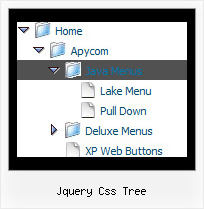
Jquery Css Tree by Deluxe-Tree.com
Jquery Css Tree


Buy Now!  Free Trial Download

Menu Screenshots Jquery Css Tree

Jquery Css Tree Tree View Drag And Drop

Features Jquery Css Tree

Easy Setup
  • De Luxe Tuner. GUI interface to create your jquery css tree menus easily and in no time
  • Sensible menu parameters for manual editing
Compatibility              
  • Full cross-browser compatibility including IE, Netscape, Mozilla, Opera, Firefox, Konqueror and Safari on Windows, Mac OS and Linux
  • Menu can be populated from a database using ASP, PHP, etc.
  • Search engine friendly
  • Support for any doctypes
  • Fits for secure sites
Tree Web Menu Samples Jquery Css Tree
Professional Look-n-feel
  • Entirely customizable look-n-feel
  • A lot of pre-designed jquery css tree samples
  • Hundreds of visual effects
  • Custom CSS styles can be applied for all menu settings
Unrivalled Features
  • Scrollable, dragable, floating
  • Unique Java Script API for altering menu "on-the-fly", without page reloading
  • AJAX technology - loads menu data from the server "on-fly and on-demand".
Cost Effective
Buy Now!  Free Trial Download

Javascript Tree Menu. Expandable Menu.

  • You can set the size of the menu in pixels, percent or other units. The menu may have an absolute or relative position (it can be inserted into the table).
  • Use any necessary font of any color, size and font decoration. Create any available type, thickness and color of a menu.Choose any color for backgrounds of submenus and items. Use special prefixes for image paths and links to make paths absolute.
  • You can assign your own images for lines.

Recent Questions Jquery Css Tree

Q: How do I open a PDF document in a new window?  Is this in the Item Parameters window?

A: You can specify target parameter for each item
 ["|Open file","file.pdf", "", "", "", "_blank", "", "", "", ],

If you want to use context menu you can try to write your menuItems in the following way:
 ["|<a href='file.pdf' target='_blank'>Open file</a>","", "", "", "", "", "", "", "", ],

But you should create correct style for <a> tag.


Q: Is there any way to have a floating menu float in relation to the centre of the screen (not the left of the screen).  I have a centre based website. When I use the floating menu and view the site on different screen sizes, the floating menu appears in different places on the x scale. For example,  I would like it 20 percent from the edge of my centre based webpage, not 20 percent from the left of the screen.  I want the menu to appear on the same horizontal place on my webpage (which is centre based)


A: No unfortunately it is not possible to write

  var posX="50% - 20";

You should adjust your coordinates to center the menu with absoluteposition.


Q: We are using a licensed copy of Deluxe-Menu but in Internet Explorer 7.0 it displays an incorrect copyright message even though all parameters are included and the key is correct. Help! We cannot leave our web site up in this condition!


A: JavaScript Tree Menu v2.0 works fine in IE7.

If you're using older version you should upgrade you JavaScript Tree Menu to v2.0, please, visit thefollowing page. You can find all info about the upgrade here:

http://deluxe-menu.com/rq-css-vertical-menu-v2.0-support.html.


Q: We need Asian fonts to be displayed on the menu. Is there any way that we can really make it happen?

The constraint is we have to display the drop down in Cross Frame and Cross Domain environment.
Your inputs will be really appreciated.


A: You can use any font in your menu.
You should install the font on your computer.

You're able to use any characters for JavaScript Tree Menu in the same way asyou use them for standard html page.
The only issue is that submenus can be shown in incorrect positionwhen you're using dir=rtl for your page.

  var dmRTL = 0;
Set this parameter to 1 if you're using right-to-left direction of html page <HTML dir=rtl>.Use also  var smViewType = 2;for right-to-left languages.