Book Treeview by Deluxe-Tree.com
Book Treeview


Buy Now!  Free Trial Download

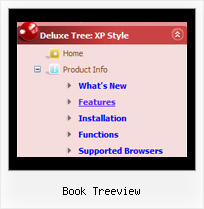
Menu Screenshots Book Treeview

Book Treeview Popup Position Tree Mouseover

Features Book Treeview

High Performance
  • AJAX menu loading - loads web menu data from the server "on-the-fly".
  • Commonly loads quicker than other html page elements
  • Runs well with an unlimited number of submenus and items
Unrivalled Features
  • Scrollable, dragable, floating
  • Unique Java Script API for altering menu "on-the-fly", without page reloading
  • AJAX technology - loads menu data from the server "on-fly and on-demand".
Tree Menu With Css Book Treeview
Compatibility              
  • Full cross-browser compatibility including IE, Netscape, Mozilla, Opera, Firefox, Konqueror and Safari on Windows, Mac OS and Linux
  • Menu can be populated from a database using ASP, PHP, etc.
  • Search engine friendly
  • Support for any doctypes
  • Fits for secure sites
Cost Effective
Seamless Integration
  • Visible over flash, select boxes, iframes, java applets
  • Multiple menus on the same page
  • Amicable to other scripts and css styles
  • Any HTML code can be used inside menu items
Buy Now!  Free Trial Download

Javascript Tree Menu. Expandable Menu.

  • You can set the size of the menu in pixels, percent or other units. The menu may have an absolute or relative position (it can be inserted into the table).
  • Use any necessary font of any color, size and font decoration. Create any available type, thickness and color of a menu.Choose any color for backgrounds of submenus and items. Use special prefixes for image paths and links to make paths absolute.
  • You can assign your own images for lines.

Recent Questions Book Treeview

Q: I have problem with our characters also, the иж№рѕИЖ©Р® are all messed up. The program doesn't work on iso-8859-2 charset.
How can I change the charset of the code it generates? I did in templates, bt generator still generates the menu in windows-1250 charset.
Well, I can edit by hand later but...


A: You should set charset attribute on your page:
<meta http-equiv="Content-Type" content="text/html; charset=iso-8859-2" />

Unfortunately, you can't see these characters correctly in Deluxe Tunerapplication.


Q: In IE7 I see the deluxe-menu.com link on the top and no horizontal menu items on my page.

In Firefox it will work fine.

Can you help me to get the Solution?

A: Your browser has JavaScript option disabled.
It means that no one JavaScript element can be run.
You should to enable JavaScript in IE:
Tools -> Internet Options -> Security -> Custom level... -> Scripting -> Active Scripting = Enable

There is no way to enable these preferences automatically, in othercase there are no reasons to create security preferences.

You can use search engine friendly code, so you'll see all yourlinks (for the main items and submenus) when your security settings in IE doesn't allow Javascript.

You can generate search engine friendly code.
JavaScript Tree Menu is a search engine friendly menu since v1.12.
To create a search engine friendly menu you should add additional html code within your html page:

<div id="dmlinks">
<a href="http://deluxe-menu.com">menu_item_text1</a>
<a href="http://deluxe-tree.com">menu_item_text2</a>
...etc.
</div>

To generate such a code use Deluxe Tuner application.
You can find this GUI in the trial package.
Run Tuner, load your horizontal menu and click Tools/Generate SE-friendly Code (F3).


Q: 1: For the deluxe-menu, can I keep a submenu shown even when my mouse pointer is NOT over the submenu anymore (besides the delay functions?) and hides only after a mouseclick somewhere (like the Microsoft menu of outlook)?

2: Is there a way to use the smartscrolling function (for a vertical menu) on the MAIN menu instead of only for the submenu's?


A: 1) Unfortunately, you can't do it.
You can use Javascript/DHTML Tree,
http://deluxe-tree.com

2) Yes, you can't use scrolling in the main menu. But if you have verylarge menu you can use multilevel menu,
http://deluxe-menu.com/multilevel-menu-sample.html

Theoretically we can do scrolling in the main menu, but we think that it will be better touse multilevel menu in that case.


Q: I want to use a Flash icon with sound next to the menu items, is this possible?


A: Yes, you can use a flash icon in the menu items.
See how you should install your flash icon:

  var menuItems = [

["<object classid='clsid:D27CDB6E-AE6D-11cf-96B8-444553540000' codebase='http://download.macromedia.com/pub/shockwave/cabs/flash/swflash.cab#version=6,0,0,0' width='50' height='50'><param name='movie' value='data.files/bullet_orange.swf'><param name='quality' value='high'><embed src='data.files/bullet_orange.swf' quality='high' bgcolor='#FFFFFF' width='50' height='50' type='application/x-shockwave-flash' pluginspage='http://www.macromedia.com/shockwave/download/index.cgi?P1_Prod_Version=ShockwaveFlash'></embed></object>Home","testlink.html",""],
["Product Info",""],
 ["|Features","testlink.html"],
 ["|Installation","testlink.html"],
...