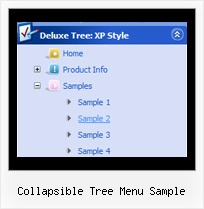
Recent Questions Collapsible Tree Menu Sample
Q: I am attempting to install a menu I've created into FrontPage2003.
I read what the web site says but it didn't seem to work. Any other suggestions?
A: JavaScript Tree Menu wasn't developed as Dreamweaver/Frontpage extension,BUT you can use it as standard Javascript files. To install the menuinto your html page:
1. open the page in your program
2. open html source code of the page
3. add several rows of code (<script> tags), For info see: http://deluxe-menu.com/installation-info.html
That's all.
To create and configure your menus use Deluxe Tuner application
(included into the trial package): http://deluxe-menu.com/deluxe-tuner-info.html
Q: As I have stated before, your Deluxe-Menu is very very good.
But there is allways room for improvement.
Is there any chance to see support for the following in Deluxe-Menu:
When I move the mousepointer above a menuitem and right-click I would like to see in the javascript contextual menu (the context menu provided by the browser):
Open Link in new window
Open Link in new tab
If the above is not possible or not something you want to enable.... then, there should be possible to make a workaround to make this work:
I see there is support for custom javascript contextual menus.....
.... is there any possibility to make a custom context menu that show above a menuitem and that show when right clicking on the menuitem.
Should hopefully be possible to create in such way that I create one context menu in javascript (the deluxe menu way... ) , but when clicking on "Open link in new window" from that custom menu, then the JS code should call a javascript function of mine (or yours), with a parameter related to the menuitem that was right-clicked...
And this javascript function should be able to resolve the actual URL (based on the input parameter rel. to the menuitem) and then open a new window using window.open()
If not possible to implement using the native browser context menu, then I belive it should be possible to do it using my workaround how to.....
Just a thought....
Any suggestions on how I can make the workaround work, or if maybe you could support the workaround in some way in future releases of Deluxe-Menu?
A: Yes, there is a workaround.
You can write your items in the following way:
["|<a href='http://www.domain.com' class="link">test test test</a>",""],
You should assign style for this link.
A.link {
...
}
A.link:hover {
...
}
Q: Which parameters do I change so that the background of the top level menu names change their background?
A: If you want to change the background of the top level menu items onlyyou should use Individual Item Styles and change them.
For example, you have:
var itemStyles = [
["itemBackColor=#8C63D8,#CBB8ED","itemBorderColor=#8C63D8,#CBB8ED"], //style 0
];
var menuStyles = [
["menuBackColor=#8C63D8","menuBorderColor=#8C63D8"], //style 0
];
var menuItems = [
["Text;", "link", "", "", "tip", "target", "0", "0"],
["Text;", "link", "", "", "tip", "target", "0", "0"],
];
Where "0", "1" - style number in itemStyles.
Please, use Deluxe Tuner application to create and assign individualstyles. You can find Deluxe Tuner in the trial package.
Q: Thank you for the information. I have been successful in getting the drop down menu select to appear on my index.htm file.
I'm having some problems fine tuning it. I placed the code and files as indicated on the file. What I get is a menu appearing at the top of the page and a link titled: Trial Version where I want the menu to appear.
The other problem I am having is that the drop down menu select is left justified and I would like it to be centered on my page (table).
A: Check that you're using relative position for the drop down menu select. You shouldset:
var absolutePos=0;
var posX="0px";
var posY="0px";