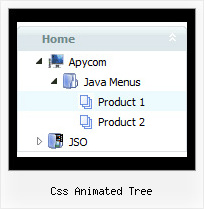
Recent Questions Css Animated Tree
Q: I am having some difficulty dynamically adding items to a tree javascript and menu.
I have a menu with one "root" item. I see the use of the "+" symbol within the item name. I do not see any documentation regarding this symbol, only "|". Can you explain?
If I have one menu with this one "root" node, how would I add an subitem to this root node?
Here is my code so far, but the inserted items appear to be at the same level as the root node.
var rootItem = dtreet_ext_getItemIDByIndex ( 0,0 );
var menuItem = new Array(10);
for ( var i = 0; i < producers.length; i++ )
{
var producer = producers[ i ];
menuItem[0] = producer.name;
dtreet_ext_insertItem ( 0, 0, i + 1, menuItem );
A: See dtreet_ext_insertItem () function has the following parameters:
function dtreet_ext_insertItem (menuInd, parentItemID, itemInd, itemParams)
Creates a new item and inserts it into a specified position.
menuInd - index of a javascript and menu on a page, >= 0.
parentItemID - ID property of an item.<, >= 0.
itemInd - index of a new item within the javascript and menu, >= 0.
itemParams - item parameters.
Notice that parentItemID is the Id property of the parent item (notindex). If you want to add top items you should set parentItemID=0.
itemInd - you should use this parameter if you want to add item in thespecific place, for example set itemInd=5 if you want to add itembefore the existing item with itemInd=5.
If you set itemInd=null the new item will be added at the end of this submenu and its index will be added automatically.
Q: Is there a way to programmatical select an item in the scrolling menu without the user actual click on the item?
A: You can set a pressed item using Javascript API:
function dm_ext_setPressedItem (menuInd, submenuInd, itemInd, recursion)
Sets a current pressed item.
menuInd - index of a menu on a page, >= 0.
submenuInd - index of a submenu, >= 0.
itemInd - index of an item, >=0.
recursion = true/false - highlight parent items.
But notice, to use dm_ext_setPressedItem() you should know ID of selected item and subitem.
You can't get this ID after you reload your page. That is why you should write your own code on PHP.
Q: With: <!DOCTYPE html PUBLIC "-//W3C//DTD XHTML 1.0 Transitional//EN" "http://www.w3.org/TR/xhtml1/DTD/xhtml1-transitional.dtd">
The content of my tabs menu doesn't show in IE.
A: Delete "height: 0%;" parameter from the style of the content DIV:
<DIV class=tabPage id=content4 style="VISIBILITY: hidden;">
Q: I am really interested in this product but I am having difficulty adding content to the java menu bar tabs. I checked the FAQ section and followed the directions, but when I test it nothing happens and I get an error on page at the bottom.
A: See, for each item you should assign the ID property of the contentDIV (see data file with your menu parameters). You should set var tabMode=0;
["Style Name","contentName", "", "", "", "", "1", "", "", ],
["-","", "", "", "", "", "0", "", "", ],
["Style Description","contentDescription", "", "", "", "", "", "", "", ],
["-","", "", "", "", "", "0", "", "", ],
["Style Variations","contentVariations", "", "", "", "", "", "", "", ],
["-","", "", "", "", "", "0", "", "", ],
["Empty","", "", "", "", "", "2", "", "", ],
And on your html page you should create DIV's with such ID. You canset background image for these DIV's in styles.
<div id="contentName" style="height: 0%; visibility: hidden; background-image: url('img/back.jpg'); background-repeat:repeat-y;" class="tabPage">
<br><br><br>
<p align=center><img src="img/style01_title.gif" width=140 height=90 alt="Glass Style Tabs"></p>
<br><br><br>
You should paste your content here!!!!!
</div>
<div id="contentDescription" style="height: 0%; visibility: hidden;" class="tabPage">
<br><br><br>
<p align=center><img src="img/style01_title.gif" width=140 height=90 alt="Glass Style Tabs"></p>
<br><br><br>
You should paste your description here!!!!!
</div>-image: url('img/back.jpg'); background-repeat:repeat-y;" class="tabPage">
<br><br><br>
<p align=center><img src="img/style01_title.gif" width=140 height=90 alt="Glass Style Tabs"></p>
<br><br><br>
You should paste your content here!!!!!
</div>
<div id="contentDescription" style="height: 0%; visibility: hidden;" class="tabPage">
<br><br><br>
<p align=center><img src="img/style01_title.gif" width=140 height=90 alt="Glass Style Tabs"></p>
<br><br><br>
You should paste your description here!!!!!
</div>