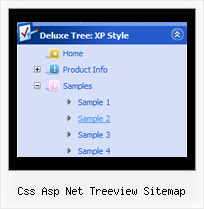
Recent Questions Css Asp Net Treeview Sitemap
Q: Can I expand all tree category, or expand two tree category?
I like your javascript menu expand product.
A: You can expand all items in Javascript/DHTML Tree, set:
var texpanded=1;
To expand specific items you should add "+" sign before item's text:
["+Samples Gallery","", "", "", "", "XP Title Tip", "", "1", "0", "", ],
["|+Samples Block 1","", "default.files/icon3_s.gif", "default.files/icon3_so.gif", "", "", "", "", "", "", ],
["||New Sample 1","testlink.htm", "default.files/iconarrs.gif", "", "", "", "", "", "", "", ],
["||New Sample 2","testlink.htm", "default.files/iconarrs.gif", "", "", "", "", "", "", "", ],
Q: Is there any way to keep a menu lit up when going to another page? Or do the menus always have to default back to their normal state?
I want the menu to know what page the user is on and keep that section highlighted. Any ideas?
A: You should set a pressed item using Javascript API:
function dm_ext_setPressedItem (menuInd, submenuInd, itemInd, recursion)
Sets a current pressed item.
menuInd - index of a menu on a page, >= 0.
submenuInd - index of a submenu, >= 0.
itemInd - index of an item, >=0.
recursion = true/false - highlight parent items.
But notice, to use dm_ext_setPressedItem() you should know ID of selected item and subitem.
You can't get this ID after you reload your page. That is why you should write your own code on PHP.
Q: How does one go about changing the parameter or the JavaScript so
that a menu selection stays 'on' for the navigation bar script?
In other words, the menu remains selected, perhaps in a background color
that shows the user this menu choice is selected and the user is in the selected menu area.
A: To save your navigation path you should set the following parameter:
var saveNavigationPath = 1;
The menu keeps items highlighted during menu navigation.
0 - disabled, 1 - enabled (default).
You can highlight menu items by default in two ways:
1) Set the pressed item on each page idividually using the following parameter:
var pressedItem = -2;
The toggle mode. Sets an index of an item that will be highlighted by default.
-2 - the toggle mode is disabled;
-1 - the toggle mode is enabled, but no items highlighted by default;
0,1,2,3,... - index of highlighted item in a top-level menu.
- delete var pressedItem=1; parameter from your data file
- set correct parameter on each page before you call data file, for example:
<noscript><a href="http://deluxe-menu.com">Javascript Menu by Deluxe-Menu.com</a></noscript>
<script type="text/javascript"> var dmWorkPath = "menudir/";</script>
<script type="text/javascript" src="menudir/dmenu.js"></script>
<script type="text/javascript"> var pressedItem=2;</script>
...
<script type="text/javascript" src="menudir/data.js"></script>
2) Set the pressed item/subitem using dm_ext_setPressedItem () function.
Please see more info here:
http://deluxe-menu.com/highlighted-items-sample.html
Q: Hello I am trying out deluxe menus. Fantastic piece of software - however the test menu I have created only works fine when I upload to an area outside the restricted area (i.e members area) of my server. Inside this area and it does not appear. Is that becuse I am using the trial version?
A: Thanks for your interest in our products.
No, it is not the reason. Trial version has full functionality.
Please, send us a direct link to your website, so we can check it.