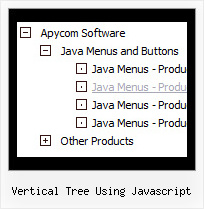
Recent Questions Vertical Tree Using Javascript
Q: This is a great product and I hope to use it for the project I am currently working on. I have played around with using simple javascript menu but have been unable to figure out how to make sub menu items live on multiple rows and columns. Could you point me in the right direction? I know with the individual styles I could make the category titles bold and put sub categories right underneath without actually making them sub categories.
A: You can find more info here:
http://www.deluxe-menu.com/multicolumn-menu-sample.htmlQ: Please tell me in very plan instructions how to load the dhtml menu slide on to a blank Front Page web page?
A: You should do the following things:
1. Create your menu in Deluxe Tuner.
2. Export the menu into html file "File/Export/To HTML".
3. Copy generated folder with all engine .js files and images
("deluxe-menu.files/" by default) and data-deluxe-menu.js (by default) into the same folder with you index.html page (created inFrontPage).
4. Now you should add several rows of code into your index.html file.
You can do it in FrontPage (open HTML source of the page and edit it)
or in any text editor. Open your index.html page and edit it.
Notice that you'll have errors in the Preview. But you won't get errors if you open this page in the browser.5. Add the following code in the tag:
<!-- JavaScript Tree Menu -->
<noscript><a href="http://deluxe-menu.com">Javascript Menu by Deluxe-Menu.com</a></noscript&ht;
<script type="text/javascript">> var dmWorkPath="deluxe-menu.files/";</script>
<script type="text/javascript" src="deluxe-menu.files/dmenu.js"></script>
and
<script type="text/javascript" src="data-deluxe-menu.js"></script>
in the place where you want to have the menu.
You can paste it in <table>, <div> tags.
For example:
<div align=center>
<script type="text/javascript" src="data-deluxe-menu.js"></script>
</div>
6. Save your index.html page and open it in any browser.
Q: When I put any new link on my javascript scrolling menu info tree it goes as if I am placing as _blank when I have it leading to _self.
A: No you have:
var titemTarget="_blank";
And you haven't specified "_self" parameter to
["||Unilock Fireplace MODS","fireplace_unilock_mods.htm", "", "", "", "", "", "", "", ],
You should set
var titemTarget="_self";
or set "_self" parameter for each item individually:
["||Unilock Fireplace MODS","fireplace_unilock_mods.htm","", "", "", "_self", "", "", "", ],
Q: How do you center the text within the top-level cels in the drop down navigation bar?
A: You should set the following parameter:
var itemAlignTop="center";