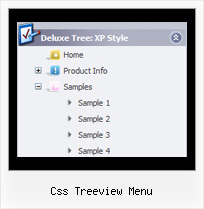
Recent Questions Css Treeview Menu
Q: I purchased the most recent version of "JavaScript Tree Menu & Tree & Tabs & Window Multiple Website License", and now can't open menus from previous versions. When I try to open a custom drop down menu that was created in an older version, I get the error:
Can't open the file:
c:\webs\ltron\ltronmenudata.js
Check youre encode parameter
This happens on all of the older menus that we're trying to update............Do I have to run some type of conversion program on older menu files?
Please let me know as quickly as possible.........we have over 100 custom drop down menus out there and now it seems that we can't edit them!
A: This message means that you should change the encoding:
"Tools/Use utf8 encode"
Change this setting and then open your data files.
Q: We can't figure out how to implement javascript tabs navigation into our web site.
A: See in Deluxe Tabs there are two modes:
1. var tabMode=0;
You can create only one level of tabs and assign Object Id's of the
DIV's to show when you click on the tab.
["XP Tab 1","content1", "", "", "", "", "", "", "", ],
["XP Tab 2","content2", "", "", "", "", "", "", "", ],
["XP Tab 3","content3", "", "", "", "", "", "", "", ],
["XP Tab 4","content4", "", "", "", "", "", "", "", ],
You should paste your content in the <div> .. </div> tags.
<div id="content1" style=" visibility: hidden;" class="tabPage">
<p align=center><img src="img/logo_DM.gif" width=262 height=56 alt="Deluxe-Menu.com"></p>
</div>
<div id="content2" style="visibility: hidden;" class="tabPage">
<p align=center><img src="img/logo_DT.gif" width=262 height=56 alt="Deluxe-Tree.com"></p>
</div>
<div id="content3" style=" visibility: hidden;" class="tabPage">
<p align=center><img src="img/logo_DTabs.gif" width=254 height=58 alt="Deluxe-Tabs.com"></p>
</div>
2. var tabMode=1;
You can assign only links in this mode.
You should create top level items with subitems.
["XP Tab 1","", "", "", "", "", "", "", "", ],
["|Link 1_1","http://deluxe-tabs.com", "", "", "", "", "0", "", "", ],
["|Link 1_2","testlink.htm", "", "", "", "", "0", "", "", ],
["|Link 1_3","testlink.htm", "", "", "", "", "0", "", "", ],
["|Link 1_4","testlink.htm", "", "", "", "", "0", "", "", ],
["|Link 1_5","testlink.htm", "", "", "", "", "0", "", "", ],
["XP Tab 2","", "", "", "", "", "", "", "", ],
["|Link 2_1","testlink.htm", "", "", "", "", "0", "", "", ],
["|Link 2_2","testlink.htm", "", "", "", "", "0", "", "", ],
["|Link 2_3","testlink.htm", "", "", "", "", "0", "", "", ],
["|Link 2_4","testlink.htm", "", "", "", "", "0", "", "", ],
["|Link 2_5","testlink.htm", "", "", "", "", "0", "", "", ],
["XP Tab 3","", "", "", "", "", "", "", "", ],
["|Link 3_1","testlink.htm", "", "", "", "", "0", "", "", ],
["|Link 3_2","testlink.htm", "", "", "", "", "0", "", "", ],
["|Link 3_3","testlink.htm", "", "", "", "", "0", "", "", ],
["|Link 3_4","testlink.htm", "", "", "", "", "0", "", "", ],
["|Link 3_5","testlink.htm", "", "", "", "", "0", "", "", ],
You can use Object ID as well as Link in both modes. Use the following prefixes within item's link field:
"object:" - means that there is object id after it;
"link:" - means that there is a link after it.
"javascript:" - means that there is a javascript code after it, for example:javascript:alert(\'Hello!\')
So, you should write for example:
["|Link 1_1","object:Content1_1", "", "", "", "", "0", "", "", ],
Q: Which parameters do I change so that the background of the top level menu names change their background?
A: If you want to change the background of the top level menu items onlyyou should use Individual Item Styles and change them.
For example, you have:
var itemStyles = [
["itemBackColor=#8C63D8,#CBB8ED","itemBorderColor=#8C63D8,#CBB8ED"], //style 0
];
var menuStyles = [
["menuBackColor=#8C63D8","menuBorderColor=#8C63D8"], //style 0
];
var menuItems = [
["Text;", "link", "", "", "tip", "target", "0", "0"],
["Text;", "link", "", "", "tip", "target", "0", "0"],
];
Where "0", "1" - style number in itemStyles.
Please, use Deluxe Tuner application to create and assign individualstyles. You can find Deluxe Tuner in the trial package.
Q: Where can I change the font size in the main deluxe menu's (i.e. Products, About, Contact Us)?
Using the deluxe tuner doesn't allow me change this font or the size, so the submenu's are bigger than the top.
A: You can also check Individual Item Styles. May be you set font sizefor the top items using Individual Item Styles.