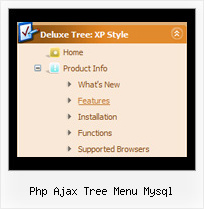
Recent Questions Php Ajax Tree Menu Mysql
Q: I am looking at purchasing the Drop Down Menu Program. I cannot find any examples of other sites that may be using your product.
And each link that I click on for help gives me code to use on the page. Does this mean that I need to know JavaScript to use this program effectively? How recent is the newest version of your program?
Please advise if there is a support forum, also.
A: I advise you to try our new Javascript menu -- JavaScript Tree Menu, http://deluxe-menu.com.
This is a newer version of DHTML Menu. It works better.
I can send you some links to the websites with JavaScript Tree Menu.
http://www.iibatoronto.org/index_2007_menus2.htm
http://www.eembc.org/
> Does this mean that I need to know JavaScript to use this
> program effectively?
No, there is no need in deep knowledge of javascript to use the menu.
You can use Deluxe Tuner application to create your menus easily.
We release the new version of the menu about two times a year.
Q: I am just in the process of evaluating your deluxe menus product for possible purchase.
I have installed the product and i am using the Deluxe Tuner product to create my menus based on the Vista 3-08 template.
I save the project and it adds the .js files in the correct location ( all under Menu folder in my project), but none of the images for the top level menu are copied (btn_red.gif or btn_red2.gif).
So when i run my website, i see the drop down menus but no header menu images (see attached image).
What image files need copying to which location in my websites main folder?
A: When you save your menu in Deluxe Tuner (use "Save as..." or "Exportto HTML" functions) you'll get a folder with all engine files(dmenu.js, dmenu_add.js ...) and all images.
So, for Vista Style 3-08 template you'll have the following images:
arr_white.gif
arrv_white.gif
blank.gif
btn_red.gif
btn_red2.gif
You should copy folder with all these files on your server.
Q: I am trying the menu and facing one problem…
The text is too large and doesn't wrap around.. instead it makes the dhtml menu layers wider.
My dhtml menu layers needs to be 175 px only.. if there are to many characters in the link, I like it to wrap around to the next line…
Any options?
A: You should set the following dhtml menu layers parameter:
var noWrap=0;
You can also use standard <br> tags inside item's text:
["All Card <br>Envelopes","", "", "", "", "", "", "", "", "", "", ],
Q: We've been using JavaScript Tree Menu for a couple of years now and we're very pleased with it. Recently, we switched to a layout heavy on CSS, and when we insert the javascript menu code into an absolutely-positioned div, the menu appears where it should, but the sub-menus drop down off to the side in both Firefox and IE. I've tried adjusting the x-offsets in the configuration file with negative values to bring them closer to the top-level menu item, but this doesn't seem to do the trick completely.
I also went through a number of sample questions in the support section of the JavaScript Tree Menu site, but I haven't been able to find any sort of resolution.
If you have any suggestions, I'd be very appreciative.
A: See, the problem is that the script can't get css properties of the object if they are described in separate .css block (or file).
In other words, you can't get the value of "POSITION: absolute" attribute of the object if the object doesn't have this property within inline style (style="POSITION:absolute;"). To get the value you should move .css style into style="" attribute.
Please, try to add your
css file -> inline css, for example:
You should add style="POSITION: absolute; TOP: 0px"
to the
<div id=div_name>
So, you'll have:
<DIV id=div_name style="POSITION: absolute; TOP: 0px">aaspot_US~.Hration...M&Project Tool Configuration.Try that.