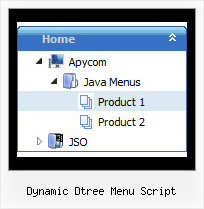
Recent Questions Dynamic Dtree Menu Script
Q: I have a Dynamic tree menu now.
Can I change the style of expandable javascript menu on the fly when I click the style menu items of the tree I made?
A: Theoretically you can do it.
Try to use
function dtreet_ext_userClick(itemID)
{
// Your Javascript code here
return true;
}
function and call
function dtreet_ext_changeItem (menuInd, itemID, itemParams)
function in it.
You should create Individual item style for this item and and assignthis style when you click on the item.
Q: Can you provide an example of how to dynamically change the menu items at runtime for the dropdown menus?
(asp is fine, but if it needs to javascript that is also ok)
A: 1) You can use API functions to affect items dynamically:
http://deluxe-menu.com/functions-info.html
2)Generate your menu items dynamically from database.
Unfortunately we don't have working example with ASP.
You may generate a menu from a database or XML using any server-side script, e.g., PHP, ASP, VB, etc.
However, these scripts don't work inside of Javascript .js files, so,
you should move parameters of a menu from a .js file into an html-page, e.g.:
<!-- JavaScript Tree Menu -->
<noscript><a href="http://deluxe-menu.com">Javascript Menu by Deluxe-Menu.com</a></noscript>
<script type="text/javascript" src="menudir/dmenu.js"></script>
<!-- (c) 2008, http://deluxe-menu.com -->
<script type="text/javascript" language="JavaScript1.2">
// and describe parameters of a menu
var parameter1=value1;
var parameter2=value2;
etc.
var menuItems = [
// here you generate items using server-side scripts (php, asp, vb, etc.)
];
</script>
The example of the menu working with PHP/MYSQL you can find here:
http://deluxe-menu.com/rq-loading-bar-MySQL-support.html
Q: Does this cross browser menu support only english menus or I can make an english and russian menus as well with deluxe menu multiple license?
A: Actually you can use any language in the cross browser menu.
Check that you've set "Tools/Use utf8 encode" in Deluxe Tuner.
Q: I am intersted in a horizontal drop down menu.
I need the rollover and selected color of each section in the onmouseover drop down menu to be a different color.
Here is my scenario
link1 link2 link3
All links are white.
On rollover, link1 turns red, and the drop down below is red (if possible can each individual link in the the dropdown rollover to a diffrent color, say pink?)
When you click a link in the link1 dropdown, and go to that page, link1 will now be red (highlighted) while on that page, and link2 and link3 are still white.
Now, On rollover, link2 turns blue, and the drop down below is blue(if possible can each individual link in the the dropdown rollover to a diffrent color, say light blue?)
When you click a link in the link2 dropdown, and go to that page, link2 will now be blue, and link2 and link3 are still white. I also need the flyout menus to be able to be different widths. Say the drop down menu under link1 has short links, then it only needs to be 100 pixels wide. If the sublinks under link 2 are longer, its dropdown menu might need to be 200 pixels wide. In other words, the flyout width needs to be flexible to fit the length of the text in the link.
I have tried other programs, but have found none that can do this. The problem seems to be they cant have different width flyout menus (often this is the case if they are css based).
OR
It is not possible to show a 'up' or highlighted color on a main link when you are on a page that is a sublink)
Does this make sense, and is it possible with your builder?
A: Yes, you can create such a menu using JavaScript Tree Menu.
To use different font colors for the main items you should useIndividual Item styles. And to cerate different color and differentwidth of the submenus you should use Individual Item/Submenu styles.
See the attached example.zip. See how you should use styles.
> I also need the flyout menus to be able to be different widths.
Actually the submenu width is depend on the item's size. You can alsowrap item's text. Set var noWrap=0; or use standard <br> tagsinside items' text:
["|very long text <br> in Item 14","", "", "", "", "", "3", "1", "", "", "", ],
You can set exact width for each submenu using IndividualSubmenu Styles.
> When you click a link in the link1 dropdown, and go to that
> page, link1 will now be red (highlighted) while on that page, and
> link2 and link3 are still white.
You can find more info here:
http://www.deluxe-menu.com/highlighted-items-sample.html
JavaScript Tree Menu has only two states normal and mouseover.
Try to do the following things:
- delete var pressedItem=1; parameter from your data file
- set correct parameter on each page before you call data file, forexample:
<noscript><a href="http://deluxe-menu.com">onmouseover drop down menu by Deluxe-Menu.com</a></noscript>
<script type="text/javascript"> var dmWorkPath = "menudir/";</script>
<script type="text/javascript" src="menudir/dmenu.js"></script>
<script type="text/javascript"> var pressedItem=3;</script>
...
<script type="text/javascript" src="menudir/data.js"></script>
You can also set a pressed item using Javascript API:
function dm_ext_setPressedItem (menuInd, submenuInd, itemInd, recursion)
Sets a current pressed item.
menuInd - index of a menu on a page, >= 0.
submenuInd - index of a submenu, >= 0.
itemInd - index of an item, >=0.
recursion = true/false - highlight parent items.
But notice, to use dm_ext_setPressedItem() you should know ID of selected item and subitem.
You can't get this ID after you reload your page. That is why you should write your own code on PHP.