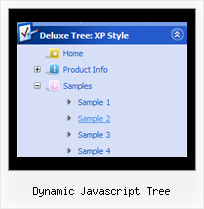
Dynamic Javascript Tree by Deluxe-Tree.com
Dynamic Javascript Tree


Buy Now!  Free Trial Download

Menu Screenshots Dynamic Javascript Tree

Dynamic Javascript Tree Trees Menu Navigation

Features Dynamic Javascript Tree

Cost Effective
Professional Look-n-feel
  • Entirely customizable look-n-feel
  • A lot of pre-designed dynamic javascript tree samples
  • Hundreds of visual effects
  • Custom CSS styles can be applied for all menu settings
Tree Navigation Menu Example Dynamic Javascript Tree
High Performance
  • AJAX menu loading - loads web menu data from the server "on-the-fly".
  • Commonly loads quicker than other html page elements
  • Runs well with an unlimited number of submenus and items
Compatibility              
  • Full cross-browser compatibility including IE, Netscape, Mozilla, Opera, Firefox, Konqueror and Safari on Windows, Mac OS and Linux
  • Menu can be populated from a database using ASP, PHP, etc.
  • Search engine friendly
  • Support for any doctypes
  • Fits for secure sites
Unrivalled Features
  • Scrollable, dragable, floating
  • Unique Java Script API for altering menu "on-the-fly", without page reloading
  • AJAX technology - loads menu data from the server "on-fly and on-demand".
Buy Now!  Free Trial Download

Javascript Tree Menu. Expandable Menu.

  • Good navigation is an important step to website success. If people can't find their way around the site, they will quickly give up looking and leave, never to return. So, it's absolute vital that your website has a fast, neat, and eye-pleasing navigation.
    Don't allow your website visitors to get lost. Try Javascript/DHTML Tree Menu!

Recent Questions Dynamic Javascript Tree

Q: I will probably purchase your developer version mostly because I want access to the 600 icons....

1) Do you offer access to these icons with any other license for css drop down menu?

2) I develop sites for several clients, what is involved for them to make small changes to their menus... i.e. add or delete a menu item or sub-item... Will they need to purchase a license to make changes?

3) Does the developer version access your site at runtime? I do not have a problem registering my client sites and getting a key... I just want to make sure at runtime their site does not contact yours.

A: 1) Icon collection is available in Developer licenses only.

2) No, there is no need to purchase the license in that case.

3) No, script doesn't access our site at runtime.
Developer version of the script doesn't check reg. keys at all.
With the Developer license you can use the menu on an unlimited number of Internet or Intranet sites and on the local machines.
This version of the css drop down menu doesn't check keys and it isn't bound to a domain name,so it can be used with an application that doesn't have a fixed domain name.


Q: Hi, is there a way to fire an event when a net javascript menu tab page loads? I want to turn on a section of the page that is not part of the tab when a tab page is made visible.

A: Actually you can use your own Javascript code instead standard links. For example:

  var bmenuItems = [
["text", "javascript:your_code_here"]
];

or

  var bmenuItems = [
["<div onClick='your_code_here'>item text</div>", ""]
];


Q: Will the Tabs Tuner allow you edit/specify the color schemes on the Glass style tabs?
Does this apply for all the styles as well? ( need to match corporate colors,etc.) Thanks!


A: No unfortunately you cannot change it's color.
This is the image basemenu.
So you should create new images with your own color and use them.

We'll try to create more templates.


Q: My top levels over the menu have no link and as such I need the cursor not to change when hovering over it – only change over the menus that drop down.

Please let me know how to fix this


A: Unfortunately, you can't change cursor type for different items.
But you can write so:

["< a href='http://deluxe-menu.com/'> Home ["Product Info","", , , , , "0", , , ],
 ["|What's New","", , , , , "0", , , ],

In all items with links you should use < a> tag.

Set this parameter:
  var itemCursor="default";