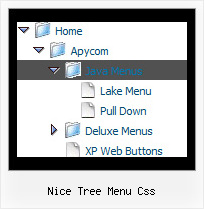
Nice Tree Menu Css by Deluxe-Tree.com
Nice Tree Menu Css


Buy Now!  Free Trial Download

Menu Screenshots Nice Tree Menu Css

Nice Tree Menu Css Download Tree For Hiding Menubar

Features Nice Tree Menu Css

Easy Setup
  • De Luxe Tuner. GUI interface to create your nice tree menu css menus easily and in no time
  • Sensible menu parameters for manual editing
High Performance
  • AJAX menu loading - loads web menu data from the server "on-the-fly".
  • Commonly loads quicker than other html page elements
  • Runs well with an unlimited number of submenus and items
Tree Collapsible Menu Tutorial Nice Tree Menu Css
Compatibility              
  • Full cross-browser compatibility including IE, Netscape, Mozilla, Opera, Firefox, Konqueror and Safari on Windows, Mac OS and Linux
  • Menu can be populated from a database using ASP, PHP, etc.
  • Search engine friendly
  • Support for any doctypes
  • Fits for secure sites
Seamless Integration
  • Visible over flash, select boxes, iframes, java applets
  • Multiple menus on the same page
  • Amicable to other scripts and css styles
  • Any HTML code can be used inside menu items
Professional Look-n-feel
  • Entirely customizable look-n-feel
  • A lot of pre-designed nice tree menu css samples
  • Hundreds of visual effects
  • Custom CSS styles can be applied for all menu settings
Buy Now!  Free Trial Download

Javascript Tree Menu. Expandable Menu.

  • Good navigation system is an important part of web site success. If people can't find their way around the site, they will rapidly give up looking and go, never to return. So, it's very significant that your website has a neat, fast, and gratifying to the eye navigation.
    Don't permit your web site visitors to get lost. Try Javascript/DHTML Tree!

Recent Questions Nice Tree Menu Css

Q: How does one go about changing the parameter or the JavaScript so
that a menu selection stays 'on' for the navigation bar script?
In other words, the menu remains selected, perhaps in a background color
that shows the user this menu choice is selected and the user is in the selected menu area.

A: To save your navigation path you should set the following parameter:

  var saveNavigationPath = 1;
The menu keeps items highlighted during menu navigation.
0 - disabled, 1 - enabled (default).

You can highlight menu items by default in two ways:

1) Set the pressed item on each page idividually using the following parameter:

  var pressedItem = -2;
The toggle mode. Sets an index of an item that will be highlighted by default.
-2 - the toggle mode is disabled;
-1 - the toggle mode is enabled, but no items highlighted by default;
0,1,2,3,... - index of highlighted item in a top-level menu.
- delete   var pressedItem=1; parameter from your data file
- set correct parameter on each page before you call data file, for example:

<noscript><a href="http://deluxe-menu.com">Javascript Menu by Deluxe-Menu.com</a></noscript>
<script type="text/javascript">  var dmWorkPath = "menudir/";</script>
<script type="text/javascript" src="menudir/dmenu.js"></script>
<script type="text/javascript">  var pressedItem=2;</script>
...
<script type="text/javascript" src="menudir/data.js"></script>

2) Set the pressed item/subitem using dm_ext_setPressedItem () function.

Please see more info here:
http://deluxe-menu.com/highlighted-items-sample.html

Q: I keep getting this javascript error: "smMovable is undefined" in my javascript rightclick menu.

I am using the development version no source code. I only get the error when adding sub menu items. When it only has the top level menu items everything works fine. I have attached the script, which the portion I generate works fine when I open it using the deluxe tuner application. I am generating the menu from .Net.

I am also attaching the generated html file.

Any help with this would be appreciated. do I add padding around a top menu item?

A: Now you have the following parameters:
  var moveImage=";
  var transOptions=";

It is not correct. You should write:
  var moveImage='';
  var transOptions='';


Q: We've used your deluxe menu on a few sites without any issues. We are trying a new site javascript menu system now and having an issue with beforeItemImage and afterItemImage. Below is our data javascript class. The dropdown seems fine in Firefox but the before and after Images are not showing up in Internet Explorer.

We've tried a number of things and can't quite get the tabbed corners in IE. Any suggestions would be greatly appreicated, we need to get this menu live soon for a client of ours. Thank you in advance.

A: Try to specify width and height parameters:

  var beforeItemImageW="6";
  var afterItemImageW="6";
  var beforeItemImageH="19";
  var afterItemImageH="19";

We've checked your page in IE6, IE7, IE8. All images displayed correctly.


Q: How does one go about changing the parameter or the JavaScript so that a vertical menu selection stays 'on'? In other words, the vertical menu remains selected, perhaps in a background color that shows the user this menu choice is selected and the user is in the selected menu area.

A: To save your navigation path you should set the following parameter:

  var saveNavigationPath = 1;
The menu keeps items highlighted during menu navigation.
0 - disabled, 1 - enabled (default).

You can highlight menu items by default in two ways:

1) Set the pressed item on each page idividually using the following parameter:

  var pressedItem = -2;
The toggle mode. Sets an index of an item that will be highlighted by default.
-2 - the toggle mode is disabled;
-1 - the toggle mode is enabled, but no items highlighted by default;
0,1,2,3,... - index of highlighted item in a top-level menu.
- delete   var pressedItem=1; parameter from your data file
- set correct parameter on each page before you call data file, for example:

<noscript><a href="http://deluxe-menu.com">Javascript Menu by Deluxe-Menu.com</a></noscript>
<script type="text/javascript">  var dmWorkPath = "menudir/";</script>
<script type="text/javascript" src="menudir/dmenu.js"></script>
<script type="text/javascript">  var pressedItem=2;</script>
...
<script type="text/javascript" src="menudir/data.js"></script>

2) Set the pressed item/subitem using dm_ext_setPressedItem () function.

Please see more info here:
http://deluxe-menu.com/highlighted-items-sample.html