Html Template With Tree View Web by Deluxe-Tree.com
Html Template With Tree View Web


Buy Now!  Free Trial Download

Menu Screenshots Html Template With Tree View Web

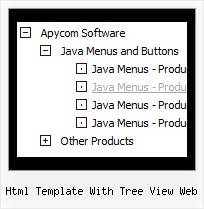
Html Template With Tree View Web Collapsible Tree Example

Features Html Template With Tree View Web

Professional Look-n-feel
  • Entirely customizable look-n-feel
  • A lot of pre-designed html template with tree view web samples
  • Hundreds of visual effects
  • Custom CSS styles can be applied for all menu settings
Easy Setup
  • De Luxe Tuner. GUI interface to create your html template with tree view web menus easily and in no time
  • Sensible menu parameters for manual editing
Tree Menu Program Html Template With Tree View Web
Seamless Integration
  • Visible over flash, select boxes, iframes, java applets
  • Multiple menus on the same page
  • Amicable to other scripts and css styles
  • Any HTML code can be used inside menu items
Unrivalled Features
  • Scrollable, dragable, floating
  • Unique Java Script API for altering menu "on-the-fly", without page reloading
  • AJAX technology - loads menu data from the server "on-fly and on-demand".
Cost Effective
Buy Now!  Free Trial Download

Javascript Tree Menu. Expandable Menu.

  • Tune menu parameters manually or using Deluxe Tuner. Then add several rows of a code within html page - your menu is ready!
  • Use special JavaScript functions for: Dynamic changing of items (text, link, icons and even individual style!). Making a menu item active/disabled. Addition/removing of items. Changing of visibility of items. Collapsing/expanding of items. Getting the information on any menu, submenu and items. Other tricks. But for all that it's not necessary to insert any additional code into all the pages - just specify some additional parameters of the menu.

Recent Questions Html Template With Tree View Web

Q: How can I set the top-level menu items of the html pop up menu to be transparent?

A: You should create Individual Item and Submenu styles with transparent itemBackColor and assign it for the top items:

  var itemStyles = [
["itemBackColor=transparent,transparent","itemBorderWidth=0","fontColor=#000000,#000000"],
];

  var menuStyles = [
["menuBackColor=transparent","menuBorderWidth=0"],
];


Q: Is it possible to insert an item at the top of the submenu in the html popup menu?

A: To insert item in the specific position you should use the following function:

function dm_ext_addItemPos (menuInd, submenuInd, iParams, Pos)

Adds the new item to a submenu.
menuInd - index of a menu on a page, >= 0.
submenuInd - index of a submenu, >= 0. See more info about indexes here.
iParams = [array] - the array of item parameters.
Pos - the position in the menu where you want to add new item.

More info you'll find here:
http://deluxe-menu.com/functions-info.html


Q: I was testing your suite and I like it very much, but I do have problems with IE 7 (last updates) on a winXP Pro machine. The javascript menu sample doesn't show up on the site. Do you know something about this or can you tell me what I have made wrong? I tried the normal export and also the export code for search friendly sites.

Please give me a short hint, what I must change.
Looking forward in hearing from you soon

A: Try to set exact width for the menu.

  var menuWidth="400px";


Q: Your product is great. I do have one question for you however.

Right now the dropdown (subitem) menus appear based on the smShowPause variable, and disappear based on the smHidePause variable. It is sometimes awkward for users to mouse off the subitem menu that has dropped down, only to have it still hanging there. Reducing the smHidePause variable is not an option because then the menu often disappears before a user has selected a menu option.

The ideal solution is the have the subitem menu recognize when the user has moused off the menu, and then disappear. Is this possible?
if not, I definitely suggest incorporating it into your next build!


A: Try to set these parameters:

  var transition=0;
  var transOptions="";
  var transDuration=0;
  var transDuration2=0;

  var smShowPause=200;
  var smHidePause=200;