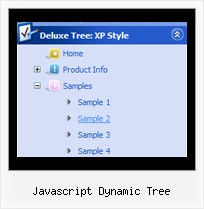
Recent Questions Javascript Dynamic Tree
Q: Can I create a pop up using javascript that fly's out after 10 seconds.
Please advise.
A: Create popup window and set openAfter=10 parameter to it.
You can find this parameter in 'Actions' section.Q: I recently downloaded the trial version of JavaScript Tree Menu-Javascript/DHTML Tree and Deluxe Tabs. I am very, very pleased with your product!! I wish to purchase JavaScript Tree Menu & Tree & Tabs & Popup Window & Calendar Single Website License Product # 300094393.
However, before I do, I have a few questions first.
Question #1
I created a DeluxeTree Menu that is very large due to the amount of pages in my website and tested it on my website. It works fine. Of course I have created and saved a .js file and still have to add much more submenus to it. When I purchase the full version of javascript context menu will and begin to modify this .js file that I created will the "Trail Version" logo disappear? I hope so because it would be quite a task to have to re-create this file.
Question #2
I also created a JavaScript Tree Menu in a cross frame structure and placed the menu in the top frame. When I tested it and click on the menu button, the submenus drop down but do not appear in the frame below. They remain in the top frame forcing me to resize the top frame to see the submenus. When I viewed the example on your website for the cross frame structure, the examples show the submenus overlapping and appearing on the frame below the top frame. How do I fix this?
Thank you for time, looking forward to purchasing your product.
A: 1) There is no need to create your javascript context menu after the purchase.
You'll use new engine files only.
The purchased version of JavaScript Tree Menus doesn't have nag messages.
You'll see "Incorrect Key" message on a local machine but you won't see it on a registered domain.
2) You should install the menu in a cross-frame mode, see more info here:
http://www.deluxe-menu.com/cross-frame-mode-sample.html
Click "Show additional info" button.
Q: I want to know context menus can be displayed?
A: Yes you can create context menu, for more info see:
http://deluxe-menu.com/popup-mode-sample.html
Q: 1) Can any HTML be inserted in to the text?
2) As the item has no link, how can I prevent the item being highlighted on mouseover?
A: 1) Yes, you can insert any html code within menuItems, for example:
["|You can place <b>any HTML code</b><br> to item, for example <u>image</u>:<br><img src=img/logo.gif>","testlink.html"],
["|Index <select style='width:120px;height:17px;font:normal 10px Tahoma,Arial;'><option>Section 1<option>Section 2<option>Section 3</select>", "", "", "", "", "", "", ""],
["|Search <input type=text style='width:80px;height:17px;font:normal 10px Tahoma,Arial;'> <input type=button value='Go' style='width:30px;height:17px;font:normal 10px Tahoma,Arial;'>", "", "", "", "", "", "", "0"],
["|Write Us", "mailto:[email protected]", ""],
2) Yes, you can do it.
You should create Individual Style for it.
For example:
var itemStyles = [
["itemBackColor=#FCEEB0,#FCEEB0","itemBorderColor=,#FCEEB0","fontColor=,#000000"], //style0
];
["Product Info","", "default.files/icon1.gif", "default.files/icon1o.gif", , , "0", , , ], //style0