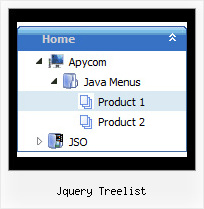
Recent Questions Jquery Treelist
Q: I have to find out, how the javascript tree control is NOT expanding in the beginning..
A: You should set the following parameter:
var texpanded=0;
Use + signs before items text to expand some items:
["+Land","", "", "", "", "", "", "0", "", "", ],
Q: We just bought your product suite including deluxe tabs control. For some reason that the tabs onload is not working in IE 7 only. It works in IE 6 and FF, Chrome and Safari. Attached is the sample page which will show the problem. I also attached our receipt of order for your reference.
Pleae help me to figure out what is the problem with my code ASAP.
A: Try to set exact height for your content DIV. Change height:0%; to height:200px;
<div id="content1" style="height: 200px; visibility: hidden;" class="tabPage">
<div id="content1" style="height:0%; visibility: hidden;" class="tabPage">
Q: Is there a way to programmatically specify which tab is selected in the drop down menu using javascript?
What I mean is, I want to set the selected tab programmatically (Not clicking the tab).
A: Deluxe Tabs doesn't support API functions which can return theselected tab.
If your site is written on PHP you can set "bselectedItem" and "varbselectedSmItem" parameters based on your link beforeyou call your data file.
For example, move "bselectedItem" and " var bselectedSmItem" parametersfrom your data file to your code.
<TD vAlign=top align=left>
/* Select Tab */
<script type="text/javascript" language="JavaScript1.2">
var bselectedItem=<?php echo $seltabs; ?>;
var bselectedSmItem=<?php echo $selsmtabs; ?>;
</script>
<SCRIPT src="data.js" type=text/javascript></SCRIPT>
</TD>
You should define seltabs and selsmtabs using server side script.
You can also set it on every page before you call data.js file, forexample:
<TD vAlign=top align=left>
/* Select Tab */
<script type="text/javascript" language="JavaScript1.2">
var bselectedItem=4;
var bselectedSmItem=3;
</script>
<SCRIPT src="data.js" type=text/javascript></SCRIPT>
</TD>
Q: Is it possible to set the width for each individual tab in the html tabs navigation
instead of having them size dynamically based on the tab name?
Basically I want to have identically sized tabs,
but can't figure out how todo it.
A: You can create Individual Items Style and assign it to your tabs.
var bstyles = [
["bitemWidth=100px"],
];
var bmenuItems = [
["Item 1","", "", "", "", "", "0", "", "", ],
["Item 2","", "", "", "", "", "0", "", "", ],
["Item 3","", "", "", "", "", "0", "", "", ],
["Item 4","", "", "", "", "", "0", "", "", ],
["Item 5","", "", "", "", "", "0", "", "", ],
];