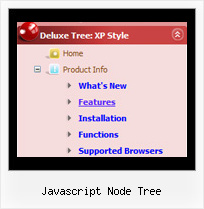
Recent Questions Javascript Node Tree
Q: I’m trying to add a padding before the beforeItemImage for the sub navigation bar but I can’t do it after hours off trying it.
A: You should add a separator with blank (or white) image.
var separatorVImage="deluxe-menu.files/space.gif";
var separatorVWidth="7px";
var separatorVHeight="27px";
var separatorPadding="0px";
And assign Individual style for this item
["itemBorderWidth=0","itemBorderStyle=none,none"],
Q: I created a custom error page for a site, but the menu would not display.
I found that this was due to the erroneous "current directory" in the bad link test, for a non-existent directory.
which is: level2/level3/
I changed the script code from:
<script type="text/javascript"> var dmWorkPath = "DMworkfiles/";</script>
<script type="text/javascript" src="DMworkfiles/dmenu.js"></script>
to:
<script type="text/javascript"> var dmWorkPath = "DMworkfiles/";</script>
<script type="text/javascript" src="/DMworkfiles/dmenu.js"></script>
adding the "/" before "DMworkfiles/dmenu.js" source reference allowed the .js file to be found in the root directory and the menu would display.
The problem is that the little menu "expansion" arrow .gif cannot be found in the "current working directory" of level2/level3/. just little "blanks" show.
I tried changing:
var dmWorkPath = "DMworkfiles/";
to:
var dmWorkPath = "/DMworkfiles/";
but that did not enable the display of the arrows.
I also had to prefix all of the links in the menu with a "/" to indicate the root directory because of the "current directory" for the bad page.
I hope I have explained the problem sufficiently.
What am I doing wrong or missing here?
A: You can use additional parameters to make menu paths absolute:
var pathPrefix_img = "http://domain.com/images/";
var pathPrefix_link = "http://domain.com/pages/";
These parameters allow to make images and links paths absolute.
For example:
var pathPrefix_img = "http://domain.com/images/";
var pathPrefix_link = "http://domain.com/pages/";
var menuItems = [
["text", "index.html", "icon1.gif", "icon2.gif"],
];
So, link path will be look so:
http://domain.com/pages/index.html
Images paths will be look so:
http://domain.com/images/icon1.gif
http://domain.com/images/icon2.gif
Please, try to use these parameters
Q: Can a menu item that expands the submenu items when selected also work as a link?
A: Actually you cannot use links for the top items in the XP Style.
But you can write:
["<a href='index.html' class='home'>Home</a>","", "", "", "", "Return to Index page", "", "0", "", ],
["<a href='http://www.domain.uk' class='home'>About Us</a>","", "", "", "", "", "", "0", "", ],
["|Introduction","http://www.domain.uk/introduction.htm", "", "", "", "", "", "", "", ],
And create styles
.home{
color: #FFFFFF;}
.home:hover{
color: #FFBEBE;}
But in that case the submenu and link open when you press "About Us" item. I think that it is not verygood behaviour. You can also try to specify target parameter
["<a href='index.html' class='home'>Home</a>","", "", "", "", "Return to Index page", "", "0", "", ],
["<a href='http://www.domain.uk' class='home' target="_blank">About Us</a>","", "", "", "", "", "", "0", "", ],
["|Introduction","http://www.domain.uk/introduction.htm", "", "", "", "", "", "", "", ],
Q: I am trying to figure out how to make multiple clickable Link popup windows on the same page. I want to have six or more. Here is what I have tried for having two windows and could not get to work:
<head>
<meta http-equiv="Content-Type" content="text/html; charset=utf-8" />
<title>Untitled Document</title>
<!-- DeluxePopupWindow.com -->
<noscript><a href="http://deluxepopupwindow.com">Javascript Popup Window by DeluxePopupWindow.com</a></noscript>
<script type="text/javascript" src="chase1.files/dpopupwindow.js"></script>
<script type="text/javascript" src="chase2.files/dpopupwindow.js"></script>
<!-- (c) 2008, http://deluxepopupwindow.com -->
============================================================================ ===============
<body>
<p><script type="text/javascript" src="chase1.js"></script>
<script type="text/javascript" src="chase2.js"></script> </p>
============================================================================ ================
<a href="javascript:;" id="chase1">Click Here to see a chase sample</a>
<a href="javascript:;" id="chase2">Click Here</a>
This does not work. I had it somewhat working. Is there a better way to do this? I will want to have at least 6 popup windows on the same page. I could not find any samples on your website.
A: You can do it in two ways:
1) Call different data files with DIFFERENT winID:"window1"!
2) Call only one data file and use deluxePopupWindow.open() function to open your windows:
<a href="javascript:;" onclick="deluxePopupWindow.open('window1', 'Content1 Content1', 'Window1',
'width=220,height=100,resizable,scrollbars=no,middle,right,fade-effect',
'windowsvista_graphite')">Click Here to see a chase1 sample</a>
See how to create popup windows:
http://deluxepopupwindow.com/window-installation-info.html
http://deluxepopupwindow.com/samples.html