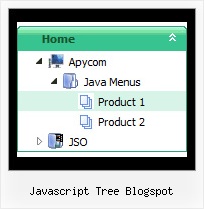
Recent Questions Javascript Tree Blogspot
Q: I am evaluating your Deluxe Tuner / Tab program and was wondering how to add content below the tabs, like you have on your site.
You have the tabs, then a content area below each tab. How is this done with your product.
A: You should use ID attribute of object to show in the second parameterof bmenuItems. You set it in the "Item Parameters" window ("Link"parameter).
You should also set:
var tabMode = 0;
So, you'll have, for example, the following bmenuItems:
["tab text","div1", ...],
["tab text","div2", ...], Here "div1" and "div2" is IDs of objects within your html page, for example:
<div id="div1">text 1</div>
<div id="div2">text 2</div>
You can also see examples, which you can find in the trial package.
Q: I am able to create the simple navigation bar but can't seem to get it to work in Yahoo SiteBuilder.
A: JavaScript Tree Menu wasn't developed as Yahoo SiteBuilder/Dreamweaver/Frontpage extension
and wedon't have plug-ins for it.
To install the menu into your html page:
1. create and save .js file with your menu parameters in Deluxe Tuner
(you can use "File/Save as/HTML" function).
You can enter any name you like, for example enter "menu".
So you'llhave menu.html, menu.js files and "menu.files" folder with all menu files.
2. open your .html page in Dreamweaver
3. Copy generated menu.js file and "menu.files/" folder in the same folderwith your index.html page.
4. Open generated menu.html in any text editor and copy several rows of code (<script> tags),
For info see:http://deluxe-menu.com/installation-info.html
<head>
<!-- JavaScript Tree Menu -->
<noscript><a href="http://deluxe-menu.com">Javascript Menu by Deluxe-Menu.com</a></noscript>
<script type="text/javascript" src="menu.files/dmenu.js"></script>
</head>
<body>
...
<script type="text/javascript" src="menu.js"></script>
...
</body>
That's all.
Q: With menu tabs, I'm trying to dynamically set the bselectedItem parm, using php. If I set bselectedItem to anything other than 0, the submenu goes away and the main html tab javascript is not highlighted.
If I set to 0, everything works.
A: See, if you use Tab Mode
var tabMode = 1;
var bselectedItem = 0; //main items
var bselectedSmItem = -1; //submenus
So you should set:
var bselectedItem = 0; //main items (0;7;14;21;25)
var bselectedSmItem = -1; //submenus (1;2;3;4;5....)
Q: I came across your program through a link on the Internet. The menu script displayed was DHTML Menu Demo #23 displayed on
http://dhtml-menu.com/dhtml-samples/menu2752.html - this is the only menu I am interested in as it has the capability of positioning the menu script relative to an existing table in the HTML coding of the page. I already have a vertical scrolling menu with several features visitors. We are moving our website to our own server and are doing some updating to make it more attractive when viewed at different resolutions. If you look at the source coding for the page (yes, it's almost exclusively in HTML - it usually views well on any browser) you will see that ALL the content is enclosed in a table which is centered on the page allowing it to be completely viewed at any resolution of 800 x 600 or greater. But the scripting I'm using ( /* Created by Randy Bennet...) uses the left margin of the browser window as left margin of the page. If it could be written so that the left margin of the existing (and centered in the browser window) table would be the point from which the left corner of the "object1" was measured, then the page would view nicely at any resolution. But I cannot find out how to do this from your "newer version".
A: You can create the same menu using JavaScript Tree Menu:
http://dhtml-menu.com/dhtml-samples/menu2752.html
To install JavaScript Tree Menu in the table cell with center alignment youshould use relative position for the menu:
var absolutePos=0;
var posX="0px";
var posY="0px";
And install it on your page in the following way:
<table>
<tr>
<td align="center">
<script type="text/javascript" src="deluxe-menu.js"></script>
</td>
</tr>
</table>