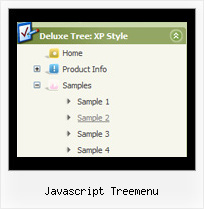
Recent Questions Javascript Treemenu
Q: I'm interested in buying your products. I have no experience in programming, only know html/php. How easy would it be to set up these down vertical menu items? I understand your explanation of copying scripts into the relevant html pages. But what about inserting the menus? Do I have to program them myself?
Thanks for your help. I just love your deluxe items.
A: Unfortunately we don't have step by step tutorial now. We'll try tocreate it in the nearest time.
1. Create your menu in Deluxe Tuner application.
You can create any menu as you like in Deluxe Tuner.
Deluxe Tuner v2.4 supports JavaScript Tree Menu (http://deluxe-menu.com) &Javascript/DHTML Tree (http://deluxe-tree.com) & Deluxe Tabs (http://deluxe-tabs.com)
You can use ready to use templates. You can find them in the templateswindow.
When you open Deluxe Tuner ( JavaScript Tree Menu ) you can click "File/New"and add items and subitems using buttons "Add Item" and "Add Subitem" onthe main window.
You should set items and subitems parameters on the "Item Parameters"window.
See also other parameters for the menu on the main window.
More info about menu parameters you can find on our site (you can alsouse local version of the site which you can find in the trial package"JavaScript Tree Menu / deluxe-menu.com /")
http://deluxe-menu.com/parameters-info.html
http://deluxe-menu.com/menu-items-info.html
You can also use Individual Styles for items and subitems
http://deluxe-menu.com/individual-item-styles-info.html
http://deluxe-menu.com/individual-submenu-styles-info.html
2. You should install the menu on your page.
You can click, for example, File/Export to HTML (you can't do it inthe MAC version).
Add several rows into your html page.
<head>
...
<!-- JavaScript Tree Menu -->
<noscript><a href="http://deluxe-menu.com">Javascript Menu by Deluxe-Menu.com</a></noscript>
<script type="text/javascript"> var dmWorkPath="deluxe-menu.files/";</script>
<script type="text/javascript" src="deluxe-menu.files/dmenu.js"></script>
<script type="text/javascript" src="data-deluxe-menu.js"></script> //data-deluxe-menu.js - data file created in Deluxe Tuner.
...
</head>
<body>
...
<table>
<tr><td><script type="text/javascript" src="deluxe-menu.files/data.js"></script></td></tr>
</table>
...
</body>
You should also copy all engine files
dmenu.js
dmenu4.js
dmenu_add.js
dmenu_dyn.js
dmenu_key.js
dmenu_cf.js
dmenu_popup.js
dmenu_ajax.js
into "deluxe-menu.files/" folder. You should place this folder in thesame folder with your index. html page.
Q: Why is it that when we place a drop menu ina div that the droppping part is not right uner the menu? The menu on top banner is the problem.. Thesame code outside of a div futher down the page works fine.
I can place the same menu outside of the div and it works fine.When it is in a div the drop part of the menu is pushed to the far right of the screen.
A: Brian, see, the problem is that the script can't get css properties of the object if they are described in separate .css block (or file).
In other words, you can't get the value of "POSITION: absolute" attribute of the object if the object doesn't have this property within inline style (style="POSITION:absolute;"). To get the value you should move .css style into style="" attribute.
Please, try to add your
css file -> inline css, for example:
You should add style="POSITION: absolute;"
to the
<div id="menu">
So, you'll have:
<DIV id="menu" style="POSITION: absolute;">
Q: Is there a way to have the menu stay expanded in the same exact state when
I click on a menu item of the javascript tree view and go to a new page?
A: There is no need to write additional code on a server side to remember what items were expanded/collapsed.
DHTML Tree Menu can save items state automatically.
Please, see the example of the menu that works with cookies:
http://dhtml-menu.com/tree-examples/tree-menuxp-save-state.html
Set the following parameter:
var tsaveState = 1;
and the menu remembers its structure for each user who visit your page.
Try to expand/collapse items. Then reload the page and you'll see results.
Q: How i can isert any html code in css dynamic menu?
A: You are able to paste any html code within items.
So you can paste a form too.
For example:
var menuItems = [
...
["||<nobr><FORM method=GET action='http://www.google.com/custom'><input name='as_q' value='searchthe web' size=15 style='font-size:10'> <INPUT type=hidden name=cof
value='LW:144;L:http://domain.edu/images/sulogo.gif;LH:45;AH:center;GL:0;S:
http://domain.edu;AWFID:e01cb67b8afe383e;'></form></nobr>","", "images/icons/search.gif", "", "", "", "", "2", "", "", "",],