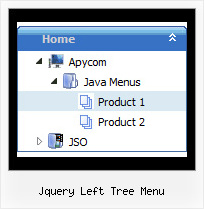
Recent Questions Jquery Left Tree Menu
Q: The items of the flash drop down menu hides behind the video. Do you have other suggestions?
A: You should add "opaque" parameter for <object> and <embed> tags, for example:
<object width="750" height="435">
<param value="http://www.youtube.com/v/_-OiQygm2uU&hl=en&fs=1&autoplay=1" name="movie"/>
<param value="true" name="allowFullScreen"/>
<param value="always" name="allowscriptaccess"/>
<param name="wmode" value="opaque">
<embed width="750" height="435" allowfullscreen="true" wmode="opaque" allowscriptaccess="always" type="application/x-shockwave-flash" src="http://www.youtube.com/v/_-OiQygm2uU&hl=en&fs=1&autoplay=1"/>
</object>
Q: > You should call the following function:
> dtreet_ext_getItemIDByIndex (0, 12)
> where 12 - is index of the item.
How would I know that 12 is the index of the item? How is itemInd different from its itemID? I assume the menuInd is always 0 for the first menu (or only in my case) menu on a page?
A: Yes, menuInd is the number of the menu on your page (in your casemenuInd=0).
itemInd is the number of the item in your menuItems, for example:
var tmenuItems =
[
["Home", "http://deluxe-tree.com", "icon1_t.gif", "icon1_to.gif","", "Home Page Tip","_blank"],//itemInd=0
["<img src='data_files/images/sep.gif' width=113 height=1>"],//itemInd=1
["+What's New<br><span id='letter'>This is pretty cool. I need to buy this deluxe menu</span>", "", "icon2_t.gif", "icon2_to.gif", "", "Product Info Tip"],//itemInd=2
["|What's New", "testlink.htm", ""], //itemInd=3
["|Features", "testlink.htm", ""], //itemInd=4
["|Installation", "testlink.htm", ""], //itemInd=5
["|Functions", "testlink.htm", ""], //itemInd=6
["|Supported Browsers", "testlink.htm", ""], //itemInd=7
["Samples", "", "icon3_t.gif", "icon3_to.gif", "", "Samples Tip"], //itemInd=8
["|Sample 1", "testlink.htm", ""], //itemInd=9
["|Sample 2", "testlink.htm", ""], //itemInd=10
["|Sample 3", "", ""], //itemInd=11
["||New Sample 1", "testlink.htm", ""],//itemInd=12
["||New Sample 2", "testlink.htm", ""],//itemInd=13
Q: When one of my menu items is a link to a url, is there a setting to change the cursor to a hand versus the normal arrow for the dhtml rollover?
Basically, I want the links of the menu items to look like most other links on any webpage.
A: Try to set the following parameter:
var itemCursor="pointer";
Q: How do I turn off the transitional effects for the dreamweaver drop down menu?
A: To turn off transitional effects you should set the following parameters:
var transition=-1;
var transOptions="";
var transDuration=0;
var transDuration2=0;