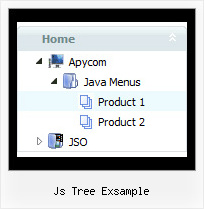
Recent Questions Js Tree Exsample
Q: I am ready to buy, I have downloaded the trial version and really like the way it sets up. Only one problem is the java script for menu making my page load slow. Is there anything I can do to make it faster? I would like to buy this software and finish my project today if you can help please.
A: If your menu is very large you can try to use AJAX technology:
http://www.deluxe-menu.com/ajax-technology-menu-sample.html
Q: How woud I make all the sub-menu’s height and text smaller in the css dhtml menu?
A: You can create Individual Item Style and assign it to each item insubmenu.
For example:
var itemStyles = [
["itemHeight=10px","fontStyle=normal 9px Trebuchet MS, Tahoma"],
];
and assign it to each item in submenu:
["|Item 7","", "", "", "", "", "0", "", "", ],
["|Item 8","", "", "", "", "", "0", "", "", ],
you can also use standard <br> tags.
["|Home text<br>text","testlink.htm", "default.files/icon1_s.gif", "default.files/icon1_so.gif", "", "Home Page Tip", "", "", "", ],
Q: I want to be able to right-click somewhere on the page and have the menu javascript pop up where the mouse is and have at least one level of submenus available.
A: See how to create javascript pop up menu using JavaScript Tree Menu here:
http://deluxe-menu.com/popup-mode-sample.html
Q: Deluxe menu v. 2 (the most recent version) -- I've triedeverything but cannot get the separator images (vertical orhorizontal) to appear. My other images appear fine, and I know theimages are where I've called them. I've tried root relative anddocument relative paths, and even set the advanced image prefixvariable, but they never appear. Can you spot what's wrong?
A related question: what I'm trying to do is to simply have a 1pxseparator between my main items (vertical) and between my sub-items(horizontal). Short of building a css mode menu, is this possibleusing your script -- if I set border=1 without any spacing, then thetwo borders between adjoining items come together and I get whatappears to be a 2px border separator. Is it possible to set margin-right=1, margin-bottom=1? This doesn't seem possible through thetuner: it appears to be border on all four sides or nothing.
A: You should see the following parameters:
//------- Separators -------
var separatorImage=""; //--- file exists in this location
var separatorWidth="5";
var separatorHeight="100%";
var separatorAlignment="right";
var separatorVImage="/assets/images/public/separator.gif";
var separatorVWidth="3";
var separatorVHeight="100%";
var separatorPadding="";
You should set a separator in the menuItems, for example:
var menuItems = [
["Home","index.cfm", , , , , , , , ],
["-"],
["About Us","about.cfm", , , , , , , , ],
];