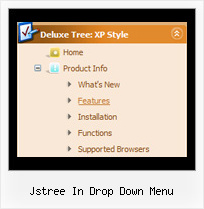
Recent Questions Jstree In Drop Down Menu
Q: I can’t seem to figure out how to specify the width of individual items in the website drop down menu.
I would like to specify that each menu item on the horizontal take up just 113px
regardless of the number of characters in the item.
Is there a way of doing that?
A: You should use var itemStyles to set an individual item style, forexample:
var itemStyles = [
["itemWidth=113px"]
];
var menuItems = [
["text 1", "link", "icon1", "icon2", "tip", "target", "0"],
["text 2", "link", "icon1", "icon2", "tip", "target", "0"],
["text 3", "link", "icon1", "icon2", "tip", "target", "0"],
];
Where "0" - style number in itemStyles that contains the parametersfor items width.
Use Deluxe Tuner GUI to create and assign individual styles.
Q: I downloaded "DeLuxe Menu" and try to make a menu dynamic. I was having the impression, that every item could have it's own color. But nowhere in de program could I find how this had to be done. Every time I changed the color, weather it was under Appearance or Item Appearance, the color of the whole menu was changed.
Before I decide to buy your product, I need to know if separate coloring for the menu dynamic is possible.
A: You can create Individual Item style and assign it for the top items,for example:
var itemStyles = [
["itemBackColor=#8080FF,#FFFF80","itemBorderWidth=1","itemBorderStyle=solid,solid", "itemBorderColor=#000080,#FF8000","showByClick=0"],//style0
["itemBackColor=##FFFFF,#000000","itemBorderWidth=1","itemBorderStyle=solid,solid", "itemBorderColor=##AA0000,#0000EE","showByClick=0"],//style1
];
var menuItems = [
["Item 1","", "", "", "", "", "0", "", "", "", "", ], //style0
["Item 2","", "", "", "", "", "1", "", "", "", "", ], //style1
["|Item 3","", "", "", "", "", "", "", "", "", "", ],
["|Item 4","", "", "", "", "", "", "", "", "", "", ],
["Item 5","", "", "", "", "", "0", "", "", "", "", ], //style0
["|Item 7","", "", "", "", "", "", "", "", "", "", ],
["|Item 8","", "", "", "", "", "", "", "", "", "", ],
["Item 6","", "", "", "", "", "1", "", "", "", "", ], //style1
];
Q: I use your licensed deluxe menu and I got a customer specific issue:
Is it possible to set no background color for the menus first level and a background color for all submenus?
I couldn't find a parameter to set different variables for main level and sublevels...
Thank you for your feedback
A: You should use Individual Styles for your subitems.
var menuBackColor="";
var itemBackColor=["",""];
var itemStyles = [
["itemBackColor=#81BEC9,#CCE6EA"], //style0
];
["Home","testlink.html", "", "", "", "", "", "", "", ],
["Product Info","", "default.files/icon1.gif", "default.files/icon1o.gif", "", "", "", "", "", ],
["|Features","testlink.html", "default.files/icon2.gif", "default.files/icon2o.gif", "", "", "0", "", "", ], //style
["|Installation","", "default.files/icon2.gif", "default.files/icon2o.gif", "", "", "0", "", "", ],//style0
["||Description of Files","testlink.html", "default.files/icon6.gif", "default.files/icon6o.gif", "", "", "", "", "", ],
["||How To Setup","testlink.html", "default.files/icon6.gif", "default.files/icon6o.gif", "", "", "", "", "", ],
["|Parameters Info","testlink.html", "default.files/icon2.gif", "default.files/icon2o.gif", "", "", "0", "", "", ],//style0
Q: We are facing some problem, in our css drop menu. Please Advise -
When we used "Helvetica" font in deluxe menu, the css drop menu expand, if the above font not installed in user machine.
I would please request you to kindly assist me on the same as the client is getting impatient.
A: It is normal behaviour if there is no such font on the user machine.
You can try to write fonts in the following way:
"fontStyle='bold 12px HelveticaNeue Condensed, Trebuchet MS','bold 12px HelveticaNeue Condensed, Trebuchet MS'"
var itemStyles = [
["itemBackImage=top.files/,top.files/menuhoverbg.gif","fontStyle='bold 12px HelveticaNeue Condensed, Trebuchet MS','bold 12px HelveticaNeue Condensed, , Trebuchet MS'","fontColor=#FFFFFF,#FFFFFF"],
["itemBackColor=#504B48,#7E7666","fontStyle='bold 12px HelveticaNeue Condensed, Trebuchet MS','bold 12px HelveticaNeue Condensed, Trebuchet MS'","fontColor=#FFFFFF,#ffffff"],
];
Find another font similar to your font and write it through a comma.If there will be no HelveticaNeue Condensed font on the user machinethe font will be Trebuchet MS.
You should choose the second font among the following fonts:
Arial
Tahoma
Times New Roman
Trebuchet MS
Verdana
These fonts are installed on the most of windows computers.