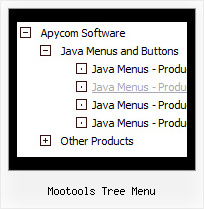
Recent Questions Mootools Tree Menu
Q: When the html tab menu is initialized can you not have any selected tabs?
I do not want to select any tabs when the menu is initialized for some cases.
A: No, unfortunately it is not possible. Some top item should behighlighted.
But you can try to add separator in the beginning of the menu and set:
var bselectedItem=0;
var bseparatorWidth="0px";
var bmenuItems = [
["-",],
[" JavaScript Tree Menu","content1", "img/icon_ie.gif", "img/icon_ie.gif", "img/icon_ie.gif", "", "", "", "", ],
[" Javascript/DHTML Tree","content2", "img/icon_ie.gif", "img/icon_ie.gif", "img/icon_ie.gif", "", "", "", "", ],
[" Deluxe Tabs","content3", "img/icon_ie.gif", "img/icon_ie.gif", "img/icon_ie.gif", "", "", "", "", ],
[" Contact us","content4", "img/icon_mail.gif", "img/icon_mail.gif", "img/icon_mail.gif", "", "", "", "", ],
];
Q: I am working with drop down menu creator that I just downloaded and am having problems with where the menu is being placed. It looks likemaybe the "trial" logo is in the right spot but the menu is appearing several rows below where I insert it. Any ideas?
A: Try to set the following parameters:
var posX="0px";
var posY="0px";
Q: 1) Can any HTML be inserted in to the text?
2) As the item has no link, how can I prevent the item being highlighted on mouseover?
A: 1) Yes, you can insert any html code within menuItems, for example:
["|You can place <b>any HTML code</b><br> to item, for example <u>image</u>:<br><img src=img/logo.gif>","testlink.html"],
["|Index <select style='width:120px;height:17px;font:normal 10px Tahoma,Arial;'><option>Section 1<option>Section 2<option>Section 3</select>", "", "", "", "", "", "", ""],
["|Search <input type=text style='width:80px;height:17px;font:normal 10px Tahoma,Arial;'> <input type=button value='Go' style='width:30px;height:17px;font:normal 10px Tahoma,Arial;'>", "", "", "", "", "", "", "0"],
["|Write Us", "mailto:[email protected]", ""],
2) Yes, you can do it.
You should create Individual Style for it.
For example:
var itemStyles = [
["itemBackColor=#FCEEB0,#FCEEB0","itemBorderColor=,#FCEEB0","fontColor=,#000000"], //style0
];
["Product Info","", "default.files/icon1.gif", "default.files/icon1o.gif", , , "0", , , ], //style0
Q: I would like when I click on what ever link of the php dhtml menu that the visited link stay in a different color and with a different background
A: Javascript/DHTML Tree doesn't save a presseditem as it saves a tree state. It works within 1 page only and if youreload the page you should set a pressed item using Javascript API:
function dtreet_ext_setPressedItem (menuInd, itemID)
Please, see here:
http://deluxe-tree.com/functions-info.html
You can also set
var tsaveState = 1;
More info you can find
http://deluxe-tree.com/data-samples/tree-menuxp-save-state.htm
To expand specific items you should use API functionfunction dtreet_ext_expandItem (itemID, expand)