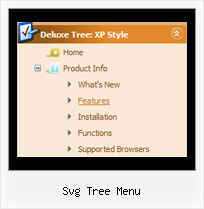
Svg Tree Menu by Deluxe-Tree.com
Svg Tree Menu


Buy Now!  Free Trial Download

Menu Screenshots Svg Tree Menu

Svg Tree Menu Transparency Tree

Features Svg Tree Menu

High Performance
  • AJAX menu loading - loads web menu data from the server "on-the-fly".
  • Commonly loads quicker than other html page elements
  • Runs well with an unlimited number of submenus and items
Cost Effective
Javascript Tree Menu Examples Svg Tree Menu
Seamless Integration
  • Visible over flash, select boxes, iframes, java applets
  • Multiple menus on the same page
  • Amicable to other scripts and css styles
  • Any HTML code can be used inside menu items
Compatibility              
  • Full cross-browser compatibility including IE, Netscape, Mozilla, Opera, Firefox, Konqueror and Safari on Windows, Mac OS and Linux
  • Menu can be populated from a database using ASP, PHP, etc.
  • Search engine friendly
  • Support for any doctypes
  • Fits for secure sites
Unrivalled Features
  • Scrollable, dragable, floating
  • Unique Java Script API for altering menu "on-the-fly", without page reloading
  • AJAX technology - loads menu data from the server "on-fly and on-demand".
Buy Now!  Free Trial Download

Javascript Tree Menu. Expandable Menu.

  • Use a mouse to move a menu as a usual window.
  • When the page is scrolled the menu remains visible. The menu can "float" along one or two coordinate axes. After clicking on menu item selected item becomes highlighted.
  • There can be as many submenus as necessary. Any submenu in its turn can include different number of columns.

Recent Questions Svg Tree Menu

Q: We are showing the "incorrect copyright" on our menu for some reason and I need you to look at the code. It's been this way for about a month. My company is going to make me stop using your menu if I can't get the issue corrected so please help me determine why we are suddenly having this problem.

The notice shows up on IE 6, but not IE 7.


A: "Incorrect Copyright" means that the script can't find required copyright parameters.
To avoid this, please, change:

<script type="text/javascript" language="JavaScript1.2" src="dmenu.js"></script>

to:

<!-- JavaScript Tree Menu -->
<noscript><a href="http://deluxe-menu.com">Javascript Menu by Deluxe-Menu.com</a></noscript>
<script type="text/javascript" language="JavaScript1.2" src="dmenu.js"></script>
<!-- (c) 2006, Deluxe-Menu.com, http://deluxe-menu.com -->


Q: No matter where I paste the script in the html for the drop down menu I created, it shows up at the top left corner of the page.

I would like it to go below the blue banner at the top of the page.
Please advise as to what I am doing wrong.


A: Now you're using absolute position for the menu:

  var absolutePos=1;
  var posX="10px";
  var posY="10px";

Try to use relative position

  var absolutePos=0;
  var posX="10px";
  var posY="10px";


Q: Recently one of my clients apparently upgraded from Internet Explorer 6+ to 7. Along the way now apparently the javascript is no enabled.
How do I enable javascript on the new browser, and / o is there something else that I need to do in the code?


A: When your security settings in IE doesn't allow Javascript onpages you load you can't see a dynamic page content.

There is no way to enable these preferences automatically, in othercase there are no reasons to create security preferences.

Please, try to use search engine friendly code you'll see all yourlinks.

You can generate search engine friendly code.
JavaScript Tree Menu is a search engine friendly menu since v1.12.
To create a search engine friendly menu you should add additional html code within your html page:

<div id="dmlinks">
<a href="http://deluxe-menu.com">menu_item_text1</a>
<a href="http://deluxe-tree.com">menu_item_text2</a>
...etc.
</div>

To generate such a code use Deluxe Tuner application.
You can find this GUI in the trial package.
Run Tuner, load your menu and click Tools/Generate SE-friendly Code (F3).

We released the new version today. New Deluxe Tuner supports DeluxeTree & Deluxe Tabs also.


Q: Hi there. I need to be able to customize the x & y coordinates of each submenu in the javascript horizontal menu. I don't see such a control in the GUI interface. How can I do this?

A: Unfortunately it is not possible to set these parameters for eachsubmenu individually. You can set them for all submenus.

Use the following parameters ('Positioning' section):
  var topDX=0;
  var topDY=1;
  var DX=-5;
  var DY=0;