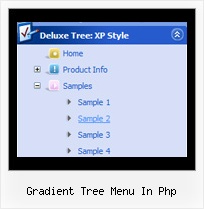
Recent Questions Gradient Tree Menu In Php
Q: I am trying to make the tab menu to work correctly and after extensive testing and I have come across a problem that I can seem to get resolved. I am using images for the tab menu with no text and <divs> to display information about each tab. However while the page loads I can see all the content from all the <div> java menu bars and when the page if fully loaded, the web page then displays the content correctly with all the content hidden until the correct tab is selected. Mind you this is the only thing on the webpage so there shouldn’t be any load time problems.
Please advice what is happen to resolve this issue.
A: Try to set display: none; property for the style of your DIV, forexample:
<div id="content1" style="display: none;" class="tabPage">
<br><br><br>
<p align=center><img src="../image/img/logo_DM.gif" width=262 height=56 alt="Deluxe-Menu.com"></p>
</div>
<div id="content2" style="display: none;" class="tabPage">
<br><br><br>
<p align=center><img src="../image/img/logo_DT.gif" width=262 height=56 alt="java menu bars"></p>
</div>
Q: We are looking for documentation on how to use the onmouseover tab program. We purchased this also and we were not able to figure out the deluxe tab part.
A: You can find all documentation on our website, http://deluxe-tabs.com.
You should paste your content in the <div> .. </div> tags.
<div id="content1" style=" visibility: hidden;" class="tabPage">
<br><br><br>
<p align=center><img src="img/logo_DM.gif" width=262 height=56 alt="Deluxe-Menu.com"></p>
</div>
<div id="content2" style="visibility: hidden;" class="tabPage">
<br><br><br>
<p align=center><img src="img/logo_DT.gif" width=262 height=56 alt="Deluxe-Tree.com"></p>
</div>
<div id="content3" style=" visibility: hidden;" class="tabPage">
<br><br><br>
<p align=center><img src="img/logo_DTabs.gif" width=254 height=58 alt="Deluxe-Tabs.com"></p>
</div>
See in Deluxe Tabs there are two modes:
1. var tabMode=0;
You can create only one level of tabs and assign Object Id's of theDIV's to show when you click on the tab.
["XP Tab 1","content1", "", "", "", "", "", "", "", ],
["XP Tab 2","content2", "", "", "", "", "", "", "", ],
["XP Tab 3","content3", "", "", "", "", "", "", "", ],
["XP Tab 4","content4", "", "", "", "", "", "", "", ],
2. var tabMode=1;
You can assign only links in this mode.
You should create top level items with subitems.
["XP Tab 1","", "", "", "", "", "", "", "", ],
["|Link 1_1","http://deluxe-tabs.com", "", "", "", "", "0", "", "", ],
["|Link 1_2","testlink.htm", "", "", "", "", "0", "", "", ],
["|Link 1_3","testlink.htm", "", "", "", "", "0", "", "", ],
["|Link 1_4","testlink.htm", "", "", "", "", "0", "", "", ],
["|Link 1_5","testlink.htm", "", "", "", "", "0", "", "", ],
["XP Tab 2","", "", "", "", "", "", "", "", ],
["|Link 2_1","testlink.htm", "", "", "", "", "0", "", "", ],
["|Link 2_2","testlink.htm", "", "", "", "", "0", "", "", ],
["|Link 2_3","testlink.htm", "", "", "", "", "0", "", "", ],
["|Link 2_4","testlink.htm", "", "", "", "", "0", "", "", ],
["|Link 2_5","testlink.htm", "", "", "", "", "0", "", "", ],
["XP Tab 3","", "", "", "", "", "", "", "", ],
["|Link 3_1","testlink.htm", "", "", "", "", "0", "", "", ],
["|Link 3_2","testlink.htm", "", "", "", "", "0", "", "", ],
["|Link 3_3","testlink.htm", "", "", "", "", "0", "", "", ],
["|Link 3_4","testlink.htm", "", "", "", "", "0", "", "", ],
["|Link 3_5","testlink.htm", "", "", "", "", "0", "", "", ],
Q: I'm trying to rebuild my website with as a sponsor-show in it.
When a users clicks as sponsorimage a popup needs to appear with all the sponsor details.
Till now I've been doing this by using a standard popup window that opens a page sponsondetails.aspx?id=4
The sponsor images and the sponsor-id that goes with it are loaded from a access-database.
Is it possible to use a close popup window to display this information, and if so, how can I do this?
A: Actually you can use the deluxe popup window and use Iframe as its content.
You should set your page sponsondetails.aspx?id=4 I the link field.
You can find these parameters in Deluxe Tuner in the Common section.
Try to use the trial version.
You can find more info about installation on our website:
http://deluxepopupwindow.com/Q: The trees I'll be building can be very large and will need to be demand loaded. In other words, I need to add the children *after* the user clicks on the parent.
A: No, unfortunately it is not possible in Javascript/DHTML Tree. Javascript/DHTML Treedoesn't have AJAX feature like JavaScript Tree Menu.
http://deluxe-menu.com/ajax-technology-menu-sample.html