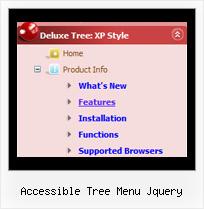
Accessible Tree Menu Jquery by Deluxe-Tree.com
Accessible Tree Menu Jquery


Buy Now!  Free Trial Download

Menu Screenshots Accessible Tree Menu Jquery

Accessible Tree Menu Jquery Tree Page Setup

Features Accessible Tree Menu Jquery

High Performance
  • AJAX menu loading - loads web menu data from the server "on-the-fly".
  • Commonly loads quicker than other html page elements
  • Runs well with an unlimited number of submenus and items
Seamless Integration
  • Visible over flash, select boxes, iframes, java applets
  • Multiple menus on the same page
  • Amicable to other scripts and css styles
  • Any HTML code can be used inside menu items
Popup Javascript Tree Accessible Tree Menu Jquery
Professional Look-n-feel
  • Entirely customizable look-n-feel
  • A lot of pre-designed accessible tree menu jquery samples
  • Hundreds of visual effects
  • Custom CSS styles can be applied for all menu settings
Unrivalled Features
  • Scrollable, dragable, floating
  • Unique Java Script API for altering menu "on-the-fly", without page reloading
  • AJAX technology - loads menu data from the server "on-fly and on-demand".
Compatibility              
  • Full cross-browser compatibility including IE, Netscape, Mozilla, Opera, Firefox, Konqueror and Safari on Windows, Mac OS and Linux
  • Menu can be populated from a database using ASP, PHP, etc.
  • Search engine friendly
  • Support for any doctypes
  • Fits for secure sites
Buy Now!  Free Trial Download

Javascript Tree Menu. Expandable Menu.

  • Good menu is an essential part of website commercial success. If people can't find their way around the site, they will fast give up seeking and retire, never to return. So, it's extreme serious that your website has a accurate, precise, prompt, and navigation of immaculate appearance.
    Don't let your web site guests to get lost. Try Javascript/DHTML Tree!

Recent Questions Accessible Tree Menu Jquery

Q: The problem that I'm having is when ever the menu has an external link clicked to load in the main frame, the main menu (blue one with icons) dropped down & the frame below is moved to the bottom ofthe menu, or in other terms the menu frame stretches to the size of the menu & moves the main frame down.

A: The menu will work correctly in the cross-frame mode if you load pages into the sub frame from the same domain.
If you load pages from another domain submenus won't be shown in the subframe - they will be shown in the frame with the top-menu.
It's caused by a security policy of browsers - a script can't modify a content of pages from another domain.


Q: How can I create an image based tabs with the javascript tabs generator.

A: To use Image templates you should add separators between the items and assign Tab Style for the items.
To make a separator set an Item Text value into '-'.

You'll have the following bmenuItems   var bmenuItems = [
['Item 1','', '', '', '', '', '1', '','', ], //assign Individual Style 2
['-','', '', '', '', '', '0', '', '', ], //assign Individual Style 1
['Item 3','', '', '', '', '', '','', '', ],
['-','', '', '', '', '', '0', '', '', ], //assign Individual Style 1
['Item 5','', '', '', '', '', '2','', '', ], //assign Individual Style 3

;


Q: Only problem left is that we see an empty image in the left corner of the java pulldown menu.

I can't find how to remove this image. Do you know where this comes from?


A: You should delete the following string from your menuItems

["","", , , , , "0", ],

Try that.


Q: How can I from javascript code change a displayed tab selection to another one in the dynamic menu tabs... lets say from first tab to the third tab?


A: This Tabs menu can save pressed item automatically within1 page only.
If you open another page, the menu can't remember presseditem.
You should do that manually using Javascript and menu parameters
(  var bselectedItem and   var   var bselectedSmItem) or using any server-side script (php, asp, etc.)

Deluxe Tabs doesn't support API functions which can return theselected tab.

If your site is written on PHP you can set "bselectedItem" and "varbselectedSmItem" parameters
based on your link beforeyou call your data file.

For example, move "bselectedItem" and "  var bselectedSmItem" parametersfrom your data file to your code.

<TD vAlign=top align=left>
/* Select Tab */
<script type="text/javascript" language="JavaScript1.2">
  var bselectedItem=<?php echo $seltabs; ?>;
  var bselectedSmItem=<?php echo $selsmtabs; ?>;
</script>
<SCRIPT src="data.js" type=text/javascript></SCRIPT>
</TD>

You should define seltabs and selsmtabs using server side script.

You can also set it on every page before you call data.js file, forexample:

<TD vAlign=top align=left>
/* Select Tab */
<script type="text/javascript" language="JavaScript1.2">
  var bselectedItem=4;
  var bselectedSmItem=3;
</script>
<SCRIPT src="data.js" type=text/javascript></SCRIPT>
</TD>

Try that.