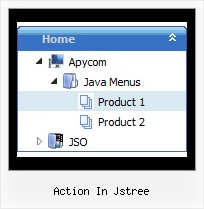
Recent Questions Action In Jstree
Q: How can I add a separator to the expanding navigation bar using the dynamic functions?
It seems as though the only way to get a separator into the menu is by defining itbefore hand,
but the website I'm building will require me to reload themenus dinamically,
and I'm losing the ability to put separators on it.
A: You should add items using the following function:
function dm_ext_addItem (menuInd, submenuInd, iParams)
or
function dm_ext_addItemPos (menuInd, submenuInd, iParams, Pos)
Find more info:
http://deluxe-menu.com/functions-info.html
Set the following parameter:
var dm_writeAll=1;
So, you should write:
dm_ext_addItem(0, 4, ["|-", "", "", "", "", "", "", ])
Q: Is it possible, for instance, to call dm_init multiple times in the list menu java? If so, do you have an example?
A: Yes, you can call dm_init(); function multiple times (for example youcan call several data files, or move menuItems array and dm_init();function into your page directly) to have multiple menus on your page.
Q: If we spot a bug in the javascript menu code, what can be planned to have it corrected?
A: You should send an e-mail to the support [email protected] describe your problem in brief and send it to us by e-mail.You can also send us a direct link to a page with the error or copy ofyour html page (including .js files).
Q: I am having a problem creating a submenu. I did not get any js errors but nothing happens.
What I have found is that even when I have dynamic=1;
I was getting an error saying object expected so I added the dmenu_dyn.js manually (i.e. <scripttype="text/javascript"src="../../Javascript/menu/dmenu_dyn.js"></script>) but now get no errors but no submenu is created.
Do I have to add all the js files in the menu folder manually as I thought it was just
<scripttype="text/javascript"src="../../Javascript/menu/dmenu.js"></script>
that was needed.
All, I am trying to add a submenu under the challenge topmenu.
function addChallengeItems(){
dm_ext_createSubmenu(0, 0, 3, ['Buy JavaScript Tree Menu Now!', "order-deluxe-menu-purchase.html", "", "", "Buy JavaScript Tree Menu Now!", "_blank"]);
}
And then a href that calls addChallengeItems()
<ahref="javascript:addChallengeItems();">add</a>
A: There is no need to add all engine files into your menu folder.
You can add only
dmenu.js
dmenu_dyn.js
More info about Description of Files you can find here:
http://deluxe-menu.com/description-of-files-info.html
Please delete also the following line from your code
<script type="text/javascript"src="../../Javascript/menu/dmenu_dyn.js"></script>
Try that.