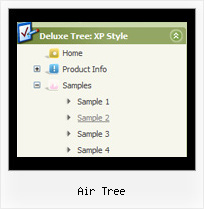
Recent Questions Air Tree
Q: Cross-frame mode/ showByClick=1: I only want this to work on the main level javascript menu bar, not the submenus. Is there anyway to showbyclick only for the main level and then not for the submenus?
A: You can use Individual Item Styles to set showByClick parameter forthe top items only.
var itemStyles = [
["showByClick=1"],
];
Q: Is there a way to expand only the menus and not the submenus in the collapse tree menu?
A: You can set expanded items by default.
If you want to expand specific items by default you should set "+"symbol at the beginning of item text.
["+Javascript/DHTML Tree: XP Style","", "default.files/xpicon1_s.gif", "", "", "XP Title Tip", "", "0", "", ],
// this item is expanded by default
["|Home","testlink.htm", "default.files/icon1_s.gif", "default.files/icon1_so.gif", "", "Home Page Tip", "framename", "", "", ],
["|Product Info","", "default.files/icon2_s.gif", "default.files/icon2_so.gif", "", "Product Info Tip", "", "", "", ],
// this subitem is not expanded by default
Q: I am interested in purchasing your product (in particular – Mac Tabs). I downloaded a trial to test Mac Tabs. The trial Mac Tabs is not the same as shown on your website where the “links” appear horizontally under the “tab”. In this trial version the “links” appear as tabs also and not in a horizontal bar under the tab.
In testing the XP Tabs trial, I found it worked correctly.
Is there something wrong with the trial version of Mac Tabs?
A: See, if you want to add links to the tabs you should create your tabmenu in Tab mode.
var tabMode=1;
You can find all instructions how to create such tabs in the Templatewindow "MAC" tab.
You should add subitems for the items and assign Tab Style for thesubitems.
For example try to use MAC Style 2 Tab Mode.
Q: We have purchased 'JavaScript Tree Menu...'.
We are integrating the menu into the site. However, we are facing an issue i.e. drop down menu with css overlapping the 'Select' box in the IE 6.0.
I went through the help pages in the deluxe menu website and tried out the Suggestion of assigning 1 to dmObjectsCheck i.e. var dmObjectsCheck=1 and adding the function as below.
function dm_ext_ruleObjectHide()
{
return !document.all;
}
It is throwing some error when we do that. Could you please suggest, what should we to get rid of overlapping. Please see the attached screen for the error. The error captured using Firefox.
A: Check that you're using JavaScript Tree Menu v3.2.5.
Check also that you have dmenu_add.js file in the same folder withdmenu.js file.
Or you can try to set also the following parameter:
var useIFRAME=1;