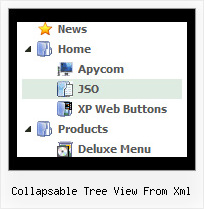
Collapsable Tree View From Xml by Deluxe-Tree.com
Collapsable Tree View From Xml


Buy Now!  Free Trial Download

Menu Screenshots Collapsable Tree View From Xml

Collapsable Tree View From Xml Cascade Tree Menu

Features Collapsable Tree View From Xml

Seamless Integration
  • Visible over flash, select boxes, iframes, java applets
  • Multiple menus on the same page
  • Amicable to other scripts and css styles
  • Any HTML code can be used inside menu items
Easy Setup
  • De Luxe Tuner. GUI interface to create your collapsable tree view from xml menus easily and in no time
  • Sensible menu parameters for manual editing
Menu Dropdown Script Tree Collapsable Tree View From Xml
Professional Look-n-feel
  • Entirely customizable look-n-feel
  • A lot of pre-designed collapsable tree view from xml samples
  • Hundreds of visual effects
  • Custom CSS styles can be applied for all menu settings
Unrivalled Features
  • Scrollable, dragable, floating
  • Unique Java Script API for altering menu "on-the-fly", without page reloading
  • AJAX technology - loads menu data from the server "on-fly and on-demand".
High Performance
  • AJAX menu loading - loads web menu data from the server "on-the-fly".
  • Commonly loads quicker than other html page elements
  • Runs well with an unlimited number of submenus and items
Buy Now!  Free Trial Download

Javascript Tree Menu. Expandable Menu.

  • Apply any font of any color, size and font decoration you need. Use any available type, color and thickness of a menu. Choose any color for submenus and items backgrounds.
  • Set the size of the menu in percent, pixels, or other units. This menu may have a relative (it can be inserted into the table, for example) or absolute position .
  • Use special prefixes for image paths and links to make paths absolute.
  • You can assign your own images for lines.

Recent Questions Collapsable Tree View From Xml

Q: The dhtml floating menu does not align to the top of the column and it migrates as one scrolls up or down the page. I would like it to stay in one place.

A: 1) Add valign="top"> parameter for the TD tag with the menu:
<td valign="top">
<script type="text/javascript" src="welcome_files/frenchdata.js"></script>

2) Open your frenchdata.js file in any text editor (or Deluxe Tuner) and change:
  var absolutePos=0;
  var posX="20px";
  var posY="120px";
to
  var absolutePos=0;
  var posX="0px";
  var posY="0px";

3) To turn off the floating feature you should set the following parameter in yourfrenchdata.js file:
  var floatable=0;


Q: Are there instructions on how to set up cross-frame mouseover menu?

A: You should create your menu in Deluxe Tuner, save it.
Create html file with your frame set.

Set ID for the first frameset:
<FRAMESET id=frmSet rows=220,*>
<FRAME id=frame1 src="JavaScript Tree Menu Samples_files/cross-frame-horizontal-1.htm"> //menu frame
<FRAME id=frame2 name=frame2 src="JavaScript Tree Menu Samples_files/testlink.htm"> //content frame
</FRAMESET>

Then you should open your data file in any text editor and change
dm_init(); to dm_initFrame("frmSet", 0, 1, 0);


Q: How can I setup Font Size, color for individual level, button? How?


A: You should use Individual Item Styles.

  var itemStyles = [
["itemBackColor=#B6E025,#769315","fontStyle=bold 10px Bookman Old Style"], //style 0
];

menuItems = [
...
["Product Info","", "default.files/icon1.gif", "default.files/icon1o.gif", , , , , , ],
 ["|Features","testlink.html", "default.files/icon2.gif", "default.files/icon2o.gif", , , "0", , , ], //style 0
 ["|Installation","", "default.files/icon2.gif", "default.files/icon2o.gif", , , "0", , , ], //style 0
...
];


Q: This is al I got from the goggle code generator:

<!-- Code for JavaScript Tree Menu Items. Generated by Deluxe Tuner -->
<div id="dmlinks" style="font:normal 9px Verdana;color:#000000;text-decoration:none">
</div>
<!-- End of Code for JavaScript Tree Menu Items -->


A: You should create your menu at first and then click Tools/Generate SE-friendly Code (F3).