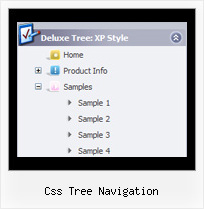
Recent Questions Css Tree Navigation
Q: We need to have the current Tuner running on our Mac to create rollover menus
A: We have MAC version of Deluxe Tuner (html version).
You should download free trial version on MAC.
So, you'll have MAC version of JavaScript Tree Menus.
And use the licensed engine files from the licensed .zip
(you candownload it from the link in your license message).
Unfortunately we don't have html version of the Tuner for Javascript/DHTML Treeand Deluxe Tabs now.
We'll try to create it in the nearest future.
You can find all templates for Javascript/DHTML Tree, Deluxe Tabs, Popup Window, Calendar in thetrial package.
More info about installation and parameters you can find on our websites:
http://deluxe-menu.com
http://deluxe-menu.com/css-menu/
http://deluxe-tree.com
http://deluxe-tabs.com
http://deluxepopupwindow.com/
http://calendardatepicker.com/
Q: How to set the icon vertically top when the menu in dhtml text is wrapped?
A: Unfortunately it is not possible to align icon vertically now.
But you can do it using html code within menu in dhtml items, for example:
var menuItems = [
["<img src='deluxe-menu.files/orangeDot.jpg' style='border: 0 none;'> Home","testlink.html", "", "", "", "", "", "", "", "", "", ],
["<img src='deluxe-menu.files/orangeDot.jpg' style='border: 0 none;'> Product Info hgdgfjh aaaaaaaaa aaaaaaa aaaaaaaaaaaaaaaaaaaaaaaaa aaaa","", "", "", "", "", "", "", "", "", "", ],
Q: I’m trying to add a padding before the beforeItemImage for the sub navigation bar but I can’t do it after hours off trying it.
A: You should add a separator with blank (or white) image.
var separatorVImage="deluxe-menu.files/space.gif";
var separatorVWidth="7px";
var separatorVHeight="27px";
var separatorPadding="0px";
And assign Individual style for this item
["itemBorderWidth=0","itemBorderStyle=none,none"],
Q: first - the deluxe menu is a nice tool, greatly.
but I have 2 little problems:
- I'll display the item direct side by side without distance, I can't found the parameter
- I wish the actual site (dhtml vertical menu item) in another colour
A: > - I'll display the item direct side by side without distance, i cant found the parameter
Check that you have correct
var menuWidth="";
parameter.
You can send us a copy of your html page (including .js files) ora direct link to your website, so we can check it.
> - I wish the actual site (menu item) in another colour
You can create Individual Item style and assign it for the top items,for example:
var itemStyles = [
["itemBackColor=#8080FF,#FFFF80","itemBorderWidth=1","itemBorderStyle=solid,solid", "itemBorderColor=#000080,#FF8000","showByClick=0"], //style0
];
var menuItems = [
["Item 1","", "", "", "", "", "0", "", "", "", "", ], //style0
["Item 2","", "", "", "", "", "0", "", "", "", "", ], //style0
["|Item 3","", "", "", "", "", "", "", "", "", "", ],
["|Item 4","", "", "", "", "", "", "", "", "", "", ],
["Item 5","", "", "", "", "", "0", "", "", "", "", ], //style0
["|Item 7","", "", "", "", "", "", "", "", "", "", ],
["|Item 8","", "", "", "", "", "", "", "", "", "", ],
["Item 6","", "", "", "", "", "0", "", "", "", "", ], //style0
];