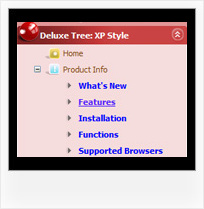
Recent Questions Javascript Vertical Tree Structure
Q: I would like to create navigation menu where the background is transparent until you move the mouse over itwhen it turns to a color. I erased the first color number from the list and that worked, but when I scrolled the mouse over the links, the background stayed light blue even though the mouse was no longer over them. Is there a way to let the background start transparent, turn light blue when the mouse is over it, then go back to transparent after the mouse is off it?
A: You can use transparent parameter, for example:
var itemBackColor=["transparent","#4792E6"];
Q: I've been trying to get the menu item in dynamic tree menu to stay highlighted when clicked on and directed to that page.
A: Tree Menu doesn't save a presseditem as it saves a tree state.
It works within 1 page only and if youreload the page you should set a pressed item using Javascript API:
function apyt_ext_setPressedItem(menuInd, itemID)
<script type="text/javascript">
var i = 4 //index of the selected item
onload=setPressed;
function setPressed()
{
dtreet_ext_setPressedItem(0,dtreet_ext_getItemIDByIndex(0, i));
}
To expand specific items you should use the following function:
dtreet_ext_expandItem (dtreet_ext_getItemIDByIndex (0, 11), 1);
Q: We purchased your deluxe menu two months ago. Right now, I try to resize the menu icon to fit our website. I changed MenuHeight, I got duplicate menu icons. I also want to change Menu Icon font, but I couldn't do it. We have your previous version menu system, As soon as we change bigger font for Menu Icon, it will be resize. I really think you sould have this function. Otherwise, I got create my own image.
A: See images in Vista Templates have the fixed width and height (92 x21).
If you want to change items' width/height you should change images.
btn_magentablack.gif
btn_magenta.gif
You can do it in any graph editor, for example in Adobe PhotoShop.
To change font in the top items you should change your Individual ItemStyle.
var itemStyles = [
["itemWidth=92px","itemBorderWidth=0","fontStyle=normal 11px
Tahoma","fontColor=#FFFFFF,#FFFFFF","itemBackImage=data-vista-03.files/btn_magentablack.gif,data-vista-03.files/btn_magenta.gif"],
];
You can do it in Deluxe Tuner.
Q: 1: For the deluxe-menu, can I keep a submenu shown even when my mouse pointer is NOT over the submenu anymore (besides the delay functions?) and hides only after a mouseclick somewhere (like the Microsoft menu of outlook)?
2: Is there a way to use the smartscrolling function (for a vertical menu) on the MAIN menu instead of only for the submenu's?
A: 1) Unfortunately, you can't do it.
You can use Javascript/DHTML Tree,
http://deluxe-tree.com
2) Yes, you can't use scrolling in the main menu. But if you have verylarge menu you can use multilevel menu,
http://deluxe-menu.com/multilevel-menu-sample.html
Theoretically we can do scrolling in the main menu, but we think that it will be better touse multilevel menu in that case.