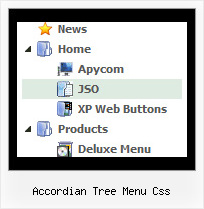
Accordian Tree Menu Css by Deluxe-Tree.com
Accordian Tree Menu Css


Buy Now!  Free Trial Download

Menu Screenshots Accordian Tree Menu Css

Accordian Tree Menu Css Menu Scroll Tree

Features Accordian Tree Menu Css

Unrivalled Features
  • Scrollable, dragable, floating
  • Unique Java Script API for altering menu "on-the-fly", without page reloading
  • AJAX technology - loads menu data from the server "on-fly and on-demand".
Seamless Integration
  • Visible over flash, select boxes, iframes, java applets
  • Multiple menus on the same page
  • Amicable to other scripts and css styles
  • Any HTML code can be used inside menu items
Collapsing Tree Menu Tree Accordian Tree Menu Css
Cost Effective
Easy Setup
  • De Luxe Tuner. GUI interface to create your accordian tree menu css menus easily and in no time
  • Sensible menu parameters for manual editing
Professional Look-n-feel
  • Entirely customizable look-n-feel
  • A lot of pre-designed accordian tree menu css samples
  • Hundreds of visual effects
  • Custom CSS styles can be applied for all menu settings
Buy Now!  Free Trial Download

Javascript Tree Menu. Expandable Menu.

  • Use a mouse to move a menu as a usual window.
  • When the page is scrolled the menu remains visible. The menu can "float" along one or two coordinate axes. After clicking on menu item selected item becomes highlighted.
  • There can be as many submenus as necessary. Any submenu in its turn can include different number of columns.

Recent Questions Accordian Tree Menu Css

Q: How about getting the entire side navigation bar to sit in the centre rather than left align?

A: You can set your menu in the <div> tag and use the alignment you need:

<!-- JavaScript Tree Menu -->
<noscript><a href="http://deluxe-menu.com">Javascript Menu by Deluxe-Menu.com</a></noscript>
<script type="text/javascript" src="menudir/dmenu.js"></script>
<!-- (c) 2009, http://deluxe-menu.com -->

<div align="center">
<script type="text/javascript" src="menudir/data.js"></script>
</div>

Q: Is it possible to designate a different font style, for thedrop down links then for the main link in the asp drop down menu?

A: Yes it is possible. It will be better for you to use another font style for your top itemsusing Individual styles.

And change font styles for your submenus using the following parameters:
  var fontStyle=["bold 10px Tahoma","bold 10px Tahoma"];
  var fontColor=["#FFFFFF","#A4DBCB"];


Q: Why when an image is added to the parent javascript layer menu (bar) breaks in two...

I just purchased it today.

A: See images in Vista Templates have the fixed width and height (92 x 21).

If you want to change items' width/height you should change images.

btn_cyan.gif
btn_cyan2.gif

You can do it in any graph editor, for example in Adobe PhotoShop.

You should also change items width in your Individual Item Style.

  var itemStyles = [
["itemWidth=92px","itemBorderWidth=0","fontStyle=normal 11px
Tahoma","fontColor=#FFFFFF,#FFFFFF","itemBackImage=btn_cyan.gif,btn_cyan2.gif"],
];

You can do it in Deluxe Tuner.


Q: I don't understand why this isn't working right. I haven't messed with the files in a long time now but someone wrote me an email saying I’ve had incorrect copyright on the javascript dropdown menu for a long time.

A: "Incorrect Copyright" means that the script can't find required copyright parameters.
To avoid this, please, change:

<script type="text/javascript" language="JavaScript1.2" src="dmenu.js"></script>

to:

<!-- JavaScript Tree Menu -->
<noscript><a href="http://deluxe-menu.com">Javascript Menu by Deluxe-Menu.com</a></noscript>
<script type="text/javascript" language="JavaScript1.2" src="dmenu.js"></script>
<!-- (c) 2006, Deluxe-Menu.com, http://deluxe-menu.com -->