Html Collapsable File Tree Structure by Deluxe-Tree.com
Html Collapsable File Tree Structure


Buy Now!  Free Trial Download

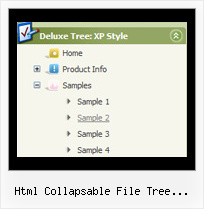
Menu Screenshots Html Collapsable File Tree Structure

Html Collapsable File Tree Structure Folding Menu Tree Script

Features Html Collapsable File Tree Structure

Professional Look-n-feel
  • Entirely customizable look-n-feel
  • A lot of pre-designed html collapsable file tree structure samples
  • Hundreds of visual effects
  • Custom CSS styles can be applied for all menu settings
Unrivalled Features
  • Scrollable, dragable, floating
  • Unique Java Script API for altering menu "on-the-fly", without page reloading
  • AJAX technology - loads menu data from the server "on-fly and on-demand".
Tree Dhtml Floating Html Collapsable File Tree Structure
Cost Effective
High Performance
  • AJAX menu loading - loads web menu data from the server "on-the-fly".
  • Commonly loads quicker than other html page elements
  • Runs well with an unlimited number of submenus and items
Compatibility              
  • Full cross-browser compatibility including IE, Netscape, Mozilla, Opera, Firefox, Konqueror and Safari on Windows, Mac OS and Linux
  • Menu can be populated from a database using ASP, PHP, etc.
  • Search engine friendly
  • Support for any doctypes
  • Fits for secure sites
Buy Now!  Free Trial Download

Javascript Tree Menu. Expandable Menu.

  • There can be as many submenus as you want.
  • Use a mouse to drag a menu as a usual window.
  • When the page is scrolled the menu remains visible. The Javascript/DHTML Tree can "float" along one or two coordinate axes. After clicking on menu item selected item becomes highlighted.

Recent Questions Html Collapsable File Tree Structure

Q: I have changed the font parameters for the menu, but it only seems to affect the dropdown parts, the main menu font doesn't change, and I would like them to be consistent. How do I fix this?


A: Please, make sure that you don't use Individual Item Styles for themain items. If you're using styles you should change font in thisstyles.


Q: I can not figure out how you put the arrow that shows there's more information in the php drop down menu?
I tried and tried to figure it out where you add this .gif file?

A: You should set the following parameters in your data.js file:

  var arrowImageMain=["deluxe-menu.files/arrowmain.gif","deluxe-menu.files/arrowmaino.gif"];
//Normal and mouseover arrow images for top-level items.

  var arrowImageSub=["deluxe-menu.files/arrowsub.gif","deluxe-menu.files/arrowsubo.gif"];
// Normal and mouseover arrow images for submenu items.

You can set these parameters in Deluxe Tuner also:

Open 'Icons' section in the main window and set   var arrowImageMain and   var arrowImageSubparameters.


Q: Just wondering if it is possible to select a specificdhtml tab via JavaScript.
Eg. A link on the page to select the next tab (or any other for that matter)

A: You can use the following function to open appropriate tab:

Unfortunately Deluxe Tabs doesn't support API functions now.

You can use the following function to open specific tab:
dtabs_itemClick(menuInd,itemInd);
where
menuInd - index of a tab menu on a page, >= 0.
itemInd - index of a item, >=0.

For example:

<DIV onClick="dtabs_itemClick(0,2)" style="width: 200px; border: 2px solid #000;">Click to open the third tab</DIV>


Q: The dhtml floating menu does not align to the top of the column and it migrates as one scrolls up or down the page. I would like it to stay in one place.

A: 1) Add valign="top"> parameter for the TD tag with the menu:
<td valign="top">
<script type="text/javascript" src="welcome_files/frenchdata.js"></script>

2) Open your frenchdata.js file in any text editor (or Deluxe Tuner) and change:
  var absolutePos=0;
  var posX="20px";
  var posY="120px";
to
  var absolutePos=0;
  var posX="0px";
  var posY="0px";

3) To turn off the floating feature you should set the following parameter in yourfrenchdata.js file:
  var floatable=0;