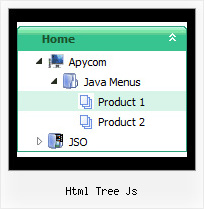
Html Tree Js by Deluxe-Tree.com
Html Tree Js


Buy Now!  Free Trial Download

Menu Screenshots Html Tree Js

Html Tree Js Tree Rollover Menu Submenu Horizontal

Features Html Tree Js

Seamless Integration
  • Visible over flash, select boxes, iframes, java applets
  • Multiple menus on the same page
  • Amicable to other scripts and css styles
  • Any HTML code can be used inside menu items
Easy Setup
  • De Luxe Tuner. GUI interface to create your html tree js menus easily and in no time
  • Sensible menu parameters for manual editing
Horizontal Tree Menu Frames Html Tree Js
Cost Effective
High Performance
  • AJAX menu loading - loads web menu data from the server "on-the-fly".
  • Commonly loads quicker than other html page elements
  • Runs well with an unlimited number of submenus and items
Compatibility              
  • Full cross-browser compatibility including IE, Netscape, Mozilla, Opera, Firefox, Konqueror and Safari on Windows, Mac OS and Linux
  • Menu can be populated from a database using ASP, PHP, etc.
  • Search engine friendly
  • Support for any doctypes
  • Fits for secure sites
Buy Now!  Free Trial Download

Javascript Tree Menu. Expandable Menu.

  • Good navigation is an important step to website success. If people can't find their way around the site, they will quickly give up looking and leave, never to return. So, it's absolute vital that your website has a fast, neat, and eye-pleasing navigation.
    Don't allow your website visitors to get lost. Try Javascript/DHTML Tree Menu!

Recent Questions Html Tree Js

Q: What is occurring is that the information on the first tab is appearing on every tab. The other tabs are behaving correctly, but the first tab appearing at the top.


A: Now you have such items

["$Contacts", "contacts",,,,"How to contact Civil Liberties Australia", "0"],
["The Board", "board",,,,"Members of the CLA Board", "0"],
["Policies", "policy",,,,"An outline of CLA's policies", "0"],
["Other Matters", "other",,,,"Other administrative matters of CLA' page","0"],

But I cannot find DIV with ID "contacts".

May be you should write

["$Contacts", "content",,,,"How to contact Civil Liberties Australia", "0"],

Please, check it.


Q: How can I set the top-level items to be transparent for the dhtml dropdown?

A: You should create Individual Item and Submenu styles with transparent itemBackColor and assign it for the top items:

  var itemStyles = [
["itemBackColor=transparent,transparent","itemBorderWidth=0","fontColor=#000000,#000000"],
];

  var menuStyles = [
["menuBackColor=transparent","menuBorderWidth=0"],
];

More info you'll find here:
http://deluxe-menu.com/individual-item-styles-info.html
http://deluxe-menu.com/individual-submenu-styles-info.html


Q: Where I, that the Submenue of my javascript menu vertical doesn't vanish so quickly, can put in. I want to fade it somewhat later.

A: Try to use the following parameter:  var transDuration = 500;


Q: I need to know how to have the background in the main items of the dynamic menu transparent, and then the sub-menus a different translucent color.

A: To set transparent background for the menu you should set:

  var menuBackColor="transparent";
  var itemBackColor=["transparent","transparent"];

and use Individual Item Styles for your submenus:

  var itemStyles = [
["itemBackColor=#8EE8E1,#26BBB0"], //style0
["itemBackColor=#F4B7FB,#E65AF5"], //style1
];

  var menuItems = [

["Home","testlink.html", "", "", "", "", "", "", "", ],
["Product Info","", "default.files/icon1.gif", "default.files/icon1o.gif", "", "", "", "", "", ],
 ["|Features","testlink.html", "default.files/icon2.gif", "default.files/icon2o.gif", "", "", "0", "", "", ], //style0
 ["|Installation","", "default.files/icon2.gif", "default.files/icon2o.gif", "", "", "1", "", "", ], //style1
   ["||Description of Files","testlink.html", "default.files/icon6.gif", "default.files/icon6o.gif", "", "", "", "", "", ],
   ["||How To Setup","testlink.html", "default.files/icon6.gif", "default.files/icon6o.gif", "", "", "", "", "", ],
 ["|Parameters Info","testlink.html", "default.files/icon2.gif", "default.files/icon2o.gif", "", "", "0", "", "", ], //style0
 ["|Dynamic Functions","testlink.html", "default.files/icon2.gif", "default.files/icon2o.gif", "", "", "1", "", "", ], //style0
 ["|Supported Browsers","", "default.files/icon2.gif", "default.files/icon2o.gif", "", "", "0", "", "", ], //style0
   ["||Windows OS","", "default.files/icon3.gif", "default.files/icon3o.gif", "", "", "", "", "", ],
   ["||Internet Explorer","", "default.files/icon5.gif", "default.files/icon5o.gif", "", "", "", "", "", ],
   ["||Firefox","", "default.files/icon5.gif", "default.files/icon5o.gif", "", "", "", "", "", ],
   ["||Mozilla","", "default.files/icon5.gif", "default.files/icon5o.gif", "", "", "", "", "", ],
   ["||Netscape","", "default.files/icon5.gif", "default.files/icon5o.gif", "", "", "", "", "", ],
   ["||Opera","", "default.files/icon5.gif", "default.files/icon5o.gif", "", "", "", "", "", ],
   ["||MAC OS","", "default.files/icon3.gif", "default.files/icon3o.gif", "", "", "", "", "", ],
   ["||Firefox","", "default.files/icon5.gif", "default.files/icon5o.gif", "", "", "", "", "", ],