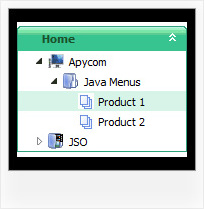
Recent Questions Css Collapsible Tree No Javascript
Q: I have built a new website to replace a dated version and the menu work fine everywhere, except I just found out the site needs to be accessed from a remote sever and the Client cannot enable scripting as it would compromise their security settings.
A: When your security settings doesn't allow Javascript onpages you load you can't see a dynamic page content.
There is no way to enable these preferences automatically, in othercase there are no reasons to create security preferences.
Please, try to use search engine friendly code you'll see all yourlinks.
You can generate search engine friendly code.
JavaScript Tree Menu is a search engine friendly menu since v1.12.
To create a search engine friendly menu you should add additional html code within your html page:
<div id="dmlinks">
<a href="http://deluxe-menu.com">menu_item_text1</a>
<a href="http://deluxe-tree.com">menu_item_text2</a>
...etc.
</div>
To generate such a code use Deluxe Tuner application.
You can find this GUI in the trial package.
Run Tuner, load your menu and click Tools/Generate SE-friendly Code (F3).
Q: How can I have the sub tab option that initiated the action highlighted once the new page is reloaded? I want to highlight the tab which is done with 'bselectedItem', please tell me about the sub-tab option.
A: See you cannot create subitems in
var tabMode=0;
it is not correct.
You should set
var tabMode=1;
The following parameters set the pressed items for top items andsubitems:
var bselectedItem=0; //top items
var bselectedSmItem=2; //subitems
where 0,1,2... is the index of the item in bmenuItems.
- delete var bselectedItem=1; and var bselectedSmItem=2; parameters from your data file
- set correct parameters on each page before you call data file, forexample:
<noscript><a href="http://deluxe-tabs.com">Javascript Menu by Deluxe-Tabs.com</a></noscript>
<script type="text/javascript" src="menudir/dtabs.js"></script>
<script type="text/javascript"> var bselectedItem=3;
var bselectedSmItem=5; </script>
...
<script type="text/javascript" src="menudir/data.js"></script>
Q: In internet explorer the menu appears as expected, in firefox it is shiftedway to the right
The deluxe menu code is all wrapped within < center> < /center> tags
How can this be resolved?
A: Try to specify units in "px", for example:
var menuWidth="700px";
It's necessary to specify exact value for Mozilla browsers. It helpsto position menus correctly.
Q: Hello.How do I remove the 5 dashed lines that appear above the first treeof the Deluxe-Tree. These lines also appear in your XP StyleSamples but they don't appear in your Deluxe-tree homepage.
http://deluxe-tree.com/data-samples/tree-menuxp2.html
A: These lines appears when you use
var tmoveable = 1; //movable menu
Try to set
var tmoveable = 0;