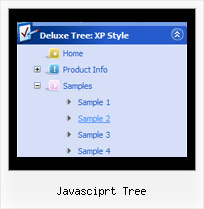
Recent Questions Javasciprt Tree
Q: Is transparent drop down menu compatable with MS Expression Web?
A: JavaScript Tree Menu wasn't developed as Dreamweaver/Frontpage extension,
BUT you can use it as standard Javascript files. To install the menu into your html page:
1. open the page in Dreamweaver/Frontpage
2. open html source code of the page
3. add several rows of code (<script> tags), For info see:
http://deluxe-menu.com/installation-info.html
That's all.
Q: The submenu should look identical to the main menu but it is not allowing this.
Even though parameters are set to 0 it is showing smart scroll and also not showing the sub menus how they should be.
I also notice and error in the templates window view when I am looking at the javascript onmouseover menu.
A: You've set the exact width for your submenus:
var smHeight="21px"; // it is the height of the whole submenu
It is not right.
Try to write:
var smHeight="";
> I also notice and error in the templates window view when I am looking
> at the menu.
Now you have:
var pressedItem="";
It is not correct. Try to set:
var pressedItem="-2";
See the attached example.
Q: The asp drop down menu should indicate with on which page I me just considers
(with anothercolour of the font of the active Link from the navigation, or an underline, bolder font, ...).
A: JavaScript Tree Menu has only two states normal and mouseover, but
you can highlight menu items in two ways:
Try to do the following things:
- delete var pressedItem=1; parameter from your data file
- set correct parameter on each page before you call data file, forexample:
<noscript><a href="http://deluxe-menu.com">Javascript Menu by Deluxe-Menu.com</a></noscript>
<script type="text/javascript"> var dmWorkPath = "menudir/";</script>
<script type="text/javascript" src="menudir/dmenu.js"></script>
<script type="text/javascript"> var pressedItem=3;</script>
...
<script type="text/javascript" src="menudir/data.js"></script>
You can also set a pressed item using Javascript API:
function dm_ext_setPressedItem (menuInd, submenuInd, itemInd, recursion)
Sets a current pressed item.
menuInd - index of a menu on a page, >= 0.
submenuInd - index of a submenu, >= 0.
itemInd - index of an item, >=0.
recursion = true/false - highlight parent items.
But notice, to use dm_ext_setPressedItem() you should know ID of selected item and subitem.
You can't get this ID after you reload your page. That is why you should write your own code on PHP.
You can find more info here:
http://www.deluxe-menu.com/highlighted-items-sample.html
Q: I like to keep the menu open as long 15 secs nothing happend or the user clicked outside of the menu.
How to do?
I have my Menu totaly outside of the Content and would like that it stays as the user choose, till he like to close or long time dispear. (smHidePause.. works ok, but when it is too long, he can not close manualy..)
What to do?
A: Unfortunately, JavaScript Tree Menu doesn't have such a feature.
Please, try to use Javascript/DHTML Tree,
http://deluxe-tree.com